100 ways to use a VLE – #42 Setting a task

You can quite easily set tasks for learners, or small groups, or even a whole group of learners in a classroom situation.

By setting the task using the VLE, you can ensure that all learners have access to the details of the task, what is required of them, relevant resources and what the final outcome needs to be.

You can then use the VLE to monitor progress of the task, check that the learners are on target to meet the final outcome.

Learners can use the communication tools of the VLE to discuss the task with each other, ask questions of the tutor about the task and share resources and links.

Once the task is completed, the learners can submit their outcomes to the VLE and this will ensure that the tutor can access the outcome easily. At the end of the task, the tutor will have for assessment purposes the completed outcome, a trail of discussions, questions, resources and links that supported the task.

Photo source.

A BIG e-Book Reader

We often don’t get gadgets here in the UK that they have in the US, for example anyone want a Zune? Well even if you did, not available officially in the UK.

I remarked very early on when Amazon released the Kindle back in January 2008 that

Of course they aren’t available in the UK at all, I wonder if we will ever see a UK version of the Kindle?

Well the Kindle eventually made it to the UK in October 2009, however without the full on connectivity that made it an attractive device and one that stood out from the other e-Book devices out there. Without the connectivity I couldn’t see how the device was that much different to the Sony eBook Reader which I was using for eBooks. I was also pretty sure that we would see a new tablet/slate device from Apple soon (well probably in next couple of weeks) and that sounded a much better deal.

Having said that, released this week is the Kindle DX, the BIG Kindle. This is again an eBook Reader from Amazon but with a much bigger screen, 9.7” over the 6” of the Kindle. This makes reading complex pages and PDFs much easier than other eBook Readers. This makes it a much more suitable reading device for some curriculum areas which depend on diagrams and pictures.

The other big advantage of the Kindle is the backing of Amazon, making it very easy to buy and download eBooks to the device. This is something that other companies like Apple know, make it easy to buy content and people buy content.

With my Sony eBook Reader, I need to make sure I am on the right computer and then download the eBook to that computer before syncing with the Reader and then I can read my book. With the Kindle, I can browse and download the book via the device. In the US this is pretty seamless, however in the UK it gets a little more complicated and adds an extra charge to the book (as you have to pay roaming 3G charges).

I do like eBook Readers, however I won’t be buying a Kindle DX as I am going to wait and see what Apple bring to the market before the end of the month.

Can I just get your attention…

The BBC News reports on research which states

University students have average attention spans of just 10 minutes

Really?

They will only pay attention to something for just ten minutes?

Really?

Sorry, what a load of cobblers.

The average length of time a student could concentrate for in lectures was 10 minutes, according to the survey carried last month. And a third blamed lack of sleep and being overworked for this.

No students don’t have ten minute attention spans, it’s just that lectures only hold their attention for ten minutes. That is a very different thing.

If students can spend four hours playing World of Warcraft, what does that say about attention spans?

If students can watch an entire episode of Heroes or sit through the 162 minutes of Avatar, what does that say about attention spans?

Yes there are bound to be students out there that only have ten minute attention spans, however the problem that the research has identified is that the traditional university lecture can only hold the attention span of students for just ten minutes.

The problem with this research and the “findings” is that rather than face the actual problem of boring or unengaging lectures, we try and solve the problem of inattentive students or just start doing ten minute lectures and complain about “dumbing down”.

To be honest I don’t think this is anything new and not exclusive to university students.

At the recent Handheld Learning Conference last year in October I remember Tweeting how with one of the keynote speakers I had stopped listening within ten minutes. Now I think I do have quite a long attention span, but in this instance I didn’t. It’s more often not the person who has the short attention span, but how the content grabs the attention of the person listening. With other keynotes at the conference I was there listening all the way through.

Maybe universities need to stop thinking about student attention spans and start thinking about how they can engage their students to ensure that they engage with the lecture or sessions for how long it takes. Making it engaging (though this doesn’t always mean interactive) and interesting so that it holds the attention of learners for more than ten minutes.

Still with me… or did I lose your attention!

Strip Designer – iPhone App of the Week

Strip Designer iPhone App of the Week

I am hoping that this will be a regular feature of the blog looking at the various iPhone Apps available. Some of the apps will be useful for those involved in learning technologies, others will be useful in improving the way in which you work, whilst a few will be just plain fun! Some will be free, others will cost a little and one or two will be what some will think is quite expensive. Though called iPhone App of the Week, most of these apps will also work on the iPod touch.

This week’s App is Strip Designer.

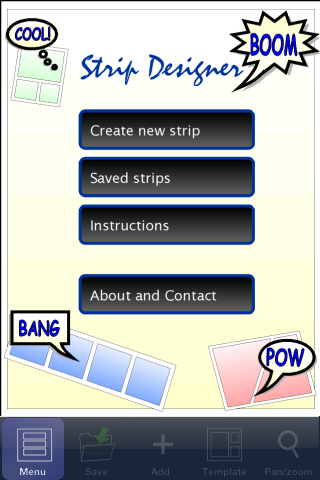
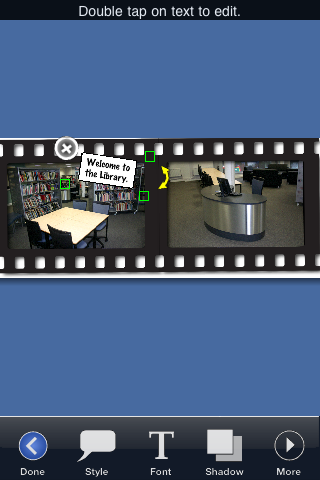
With Strip Designer you can create your own personal comic strip. Add your own photos, apply simple image filters to increase their impact, and add speech balloons and text-boxes. When you are done, save the resulting image to the iPhone’s photo album and email it to friends and family.

Cost £1.79

Comics can be used in many different ways to enhance and enrich learning activites, as well as other processes in the college. Think of it as just another medium to get a message across to learners.

  • Rather than have a written list of instructions for a particular activity, create a comic that as well as text has images that support the explanation of the instructions.
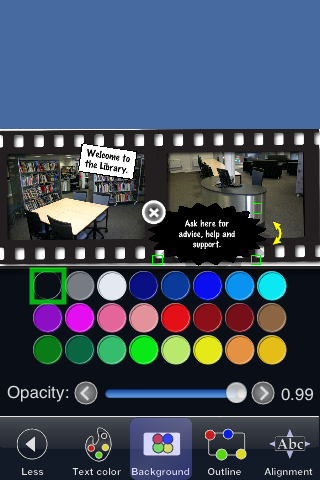
  • Create a comic of how to find help and support in the Library or Learning Resources Centre.
  • Add captions and speech balloons to a photograph to make a informative poster.

There are various comic creation apps for the iPhone, where Strip Designer is different is that it allows you to create a comic strip. Most of the other applications allow you to add comic touches to a single photograph, Strip Designer allows you to use a series of photographs, comicfy them, add captions, speech balloons and then save it as an image, send via e-mail or send direct to Facebook or Flickr.

The interface is quite complicated with various menus and sub menus.

However it doesn’t take long to see that the reason for this is the variety of effects and adjustments you can make to the images, text, balloons and captions.

This is a finished strip. Click the image to see the full size version.

Overall the app works very well, but as with any comic app, the key is the thought and planning that goes into the comic design process and writing before you even open the app. That is something to consider if you want your learners to create a comic as part of a learning activity.

Tabletish

The rumours continue to ruminate, the possible leaks continue to leak, the stories continue to be told.

It is almost 100% likely that Apple will sometime this year, probably this month, release a table slate type device.

No one knows for sure, but there are lots of rumours and speculation running around the web.

One thing that I recently heard about and caught my eye was this simulation of a tablet device showing a magazine. Note that this is not the Apple device, this is just a concept of a future device.

This concept is Sports Illustrated, however replace a sports magazine with a core text book, or a relevant magazine for a vocational area.

No more just pictures and text, now throw in video, audio and animated diagrams.

Yes we can do this already, and with the NLN Materials this was been done a few years ago. However the difference now is the device on which someone would view this content. With 3G and WiFi you can now have the connectivity to download content quickly and easily when you want to use it. A device with a battery life of a day rather than an hour and a half. A device with an intuitive interface that just works then one that requires a pen, stylus or a degree in mechanics to work out how it works.

I have no idea when the Apple device will come out though I think the 26th or 27th January are possible, I certainly will consider getting one.

Snow

From BBC News

The coldest snap for 20 years shows no sign of letting up, with the freezing weather expected to last all weekend and into next week.

Then we read this

Thousands of children are affected by school closures in England, Wales and Scotland after more heavy snowfalls.

Oh these stories are not from last week, but from last February!

Last February we had some of the worst winter weather for twenty years, unprecedented and somewhat unexpected. As a result many schools, colleges and universities closed their doors to learners and students and staff got a “free” holiday.

Sound familiar, well last week we had even worse weather, something not seen since 1963 in some places. Lots of snow, freezing temperatures and once more many more schools, colleges and universities closing due to the snow.

John Popham in his blog does ask the question

Why, in 2010, we are not making more use of the Internet to cope with these conditions. As in many areas of British life, you will probably tell me that the UK has such extreme weather conditions so infrequently that it is not worth the cost of preparing for them, but, as this is now the second consecutive winter where we have had significant snow fall, and it appears likely that climate change may well make this a regular event, surely we should seriously think about how we prepare for such occasions. And, in this context, as we are supposed to be moving increasingly towards both delivering more education online, and adopting more flexible working practices, surely these should come into their own at these times, shouldn’t they?

I agree with him.

Part of the issue in my view is the culture of snow closures.

Look at this tweet from the University of Bath.

Part of a co-ordnated effort as described on Brian Kelly’s blog how the University of Bath used a range of communication channels and technologies to inform their staff and students that they were closed.

Just to note it’s interesting to see that the University is closed, isn’t it just that the physical site is closed? Can’t at least some of the University continue virtually? However by using the language “closed” it implies that no activity will take place, well no formal activity will take place.

Culturally is it because those not involved online can’t see that closing a physical location need not have a significant impact on the business of the University, if that business can be carried out at home or online?

Using the word “closed” also sends the message to staff that the University is closed and that they do not need to go to work, or even do any work – even if they could.

The University of Bath is not alone, many other educational institutions followed a similar line and message to their learners and staff.

The statement from my college initially to all staff was that the college was closed. Obviously the site was closed, but the VLE was still operational. It wasn’t until a few days later that a message about the VLE was put on the website. However I wonder how many staff are “using” the VLE and how many are taking advantage of the closure to have a bit of a break from work.

David Sugden also brings in another institution in his blog post on the snow, he wrote

With no contingency in place, my wife sent texts to her learners and told them that ideas for work would be posted on the Moodle and that she would be there – on chat – during the class time. But no one came. There is no culture amongst the learners (in Sharon’s case full time nursery workers/managers who were probably too busy with extra children anyway) to visit online learning activities at times like these.

He also asks the question

So, how do we change that culture? How do we prepare our colleagues AND our learners for ‘snow time’?

A good question. At the moment staff and learners see snow as an excuse for a break and won’t even think about let alone consider the possibilities that technology allows them to continue despite the snow and site closures.

David also says

I believe that we have to get them all thinking about the use of audio and video for instruction and assessment as a matter of course and to use online collaboration tools as part of their day-to-day college, school (whatever) life.

Last February we recorded a podcast on this topic and it is still relevant this winter.

David continues

We need to wear the technologies and associated techniques like comfortable coats!

This view is also echoed in an Audioboo by Graham Attwell who brings in David White’s excellent Digital Residents and Digital Visitors model. Those of us who are digital residents didn’t see the snow as an issue, those of us who are digital visitors probably didn’t even think about the possibility!

If all staff and learners were familiar with the technologies then snow closures wouldn’t be such an issue. However if the snow in February 2009 and again in January 2010 has shown anything, it has shown that there is there still a long way to go before educational institutions really are making best use of the internet and digital technologies to enhance and enrich learning.

What about those staff who did work from home? Will they get any benefit or overtime for the day that they worked, but others made snowmen and went sledging? Why should I work from home (because I know how and can) when everyone else is not?

Yes snow makes it dangerous to travel, but with the internet and mobile technologies, does it mean that learners need to stop learning just because the decision is taken to close the physical location?

So what if this snow is unprecedented? What if we are now not going to have bad snow for another twenty years? Well even if you ignore the possible impact that climate change can have on our winters, making them colder and with more snow, institutions can still close for other reasons. My own college was closed in 2007 because of the floods in Gloucestershire. Schools in 2009 were closed because of swine flu. Closures happen a lot, time to start thinking about how an educational institution can make best use of the fantastic tools that are available to it for learning. Though the first thing to do will be to change the culture. It’s not just about contingency planning, it’s about changing the way people work when there isn’t snow and changing the way people think when there is.

Last year we had the “worst snow” for twenty years, here we are less than twelve months later and the snow is not only back it’s even worse! Culturally we have some way to go I think before snow only closes the physical location and doesn’t close the institution.

I’m not going to BETT

This week is BETT 2010 and I will not be going.

I have been to BETT twice in my life and that was two times too many!

So what is BETT for those that don’t know.

BETT is the world’s largest educational technology event. Use this site to find products and suppliers, and discover the latest ways to use technology for teaching and learning.

I went in 2000 and then again in 2007. So why am I not going in 2010? Well it’s not down to the weather, that doesn’t always stop me from travelling.

The reason why I won’t be going is that the focus of BETT is too much on the technology rather than what people do with it. It is much more an event based on educational technology suppliers than educators using technology. It is this reason that I won’t be going.

Surprising to some will be that I am not interested in technology, I am interested in how people are using technology to enhance and enrich learning.

Other events and conferences I go to (such as ALT-C) are very much about learning and not about technology.

I’m not going to BETT 2010, are you? Why are you going?

100 ways to use a VLE – #56 Hosting a podcast

Creating podcasts can be relatively simple, however when created where do you host them? You can “buy” hosting space, you could put them on a “free” web host or you could put them on the VLE. Of course by placing them on the VLE you do create issues about learners who wish to subscribe (via RSS) to the content through iTunes or Juice or similar, though that is not insurmountable. The VLE can also just have a link to the podcast files and the podcast subscription instead.

Podcasts are an effective mechanism to support learning. Due to the audio format, learners can download and listen to them on an mp3 player (such as the iPod) as they walk to college, or catch the bus. Likewise mp3 files can be burnt to CD and a learner could listen to them in their car, or on their home music system. Though portable, learners can also access podcasts direct through a computer and listen to them via the computer speakers (or headphones).

Teaching is an oral tradition, we have been “listening” to lectures and conversations for years; podcasting allows learners to listen when, how and where they want to. The other key advantage is that podcasts can be listened to more than once, enabling a learning objective to be reinforced or for revision purposes.

Recording podcasts can be relatively easy; though it does make sense to try and get good quality audio.

What is generally more difficult is getting the content right, so that learners listen to the podcast. Monologues and recordings of lectures are often better than no recording, but dialogues and conversations often are more interesting to listen to.

Podcasts do not need to be length affairs, ten to fifteen minutes is more than ample for more educationally orientated podcasts.

Podcasts do not need to be in a single place, so for example you may host the podcasts on a WordPress.com blog and use that RSS feed, you may then also link direct to the podcast file or upload it again to the VLE so that learners who wish to can access it that way.

Podcasting through the VLE is one more way in which you can use the VLE to enhance and enrich learning.

Photo source.

NVIDIA Tablet Chipset

NVIDIA made a major announcement on Thursday introducing their latest Tegra 2 mobile chipset.

The Tegra 2 chipset incorporates 8 independent processors to handle web browsing, HD video encoding/decoding as well as mobile gaming. It also accomplishes all this with a very low power consumption. In part, this is accomplished by the use of the ARM Cortex A9 dual core processor. The ARM Cortex A9 is the same processor that has been rumored to be utilized in Apple’s future tablet.

NVIDIA’s Tegra 2 powered Tablets boasts the following features:

– Over 16 hours of HD video or 140 hours of music on a single charge
– Adobe Flash Player 10.1
– 10x faster than processors used in smartphones today
– Playback 1080p video

news and views on e-learning, TEL and learning stuff in general…