Category Archives: video

Battle of the mobile phone video streaming services

Robert Scoble on TechCrunch has written a well detailed and informative article on why he reckons that Kyte.tv will win over other services such as Qik in the mobile phone streaming live video arena.

Anyway, back to the fight between Kyte, Qik, and Flixwagon over your cell phone video experience. Last year I was Kyte’s top user too. Why did I switch to Qik? Because I saw that cell phone video would let me extend my brand into places no other video network was letting me get to. I was the only one doing cell phone videos from the World Economic Forum, for instance, something that got me a lot of attention and followers. I told Kyte’s CEO, Daniel Graf, tons of times over the past seven months to get video streaming into his product. At first he resisted, thinking it wasn’t that big a deal, but on Friday I finally tested it out on my cell phone and was impressed enough to give Kyte a second look.

Robert Scoble is one of the top (if not the top) streaming mobile phone video users and has done some really interesting stuff at events all over the world.

I have mentioned Qik before, for me it certainly has a lot of potential as a tool for learning (and likewise could be a legal minefield in terms of privacy and data protection).
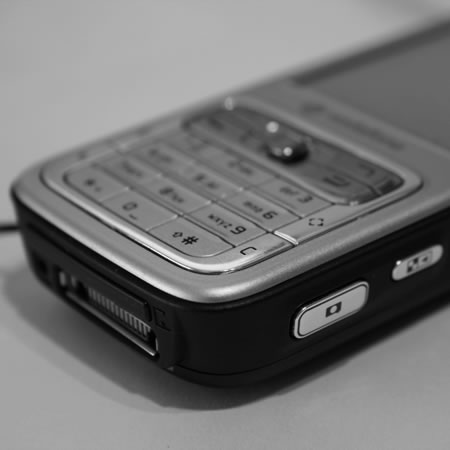
Battle of the mobile phone video streaming services

Article is certainly interesting and well worth reading.
e-Learning on your TV

So do you need an internet connected computer to “do” e-learning?

Well of course you don’t.

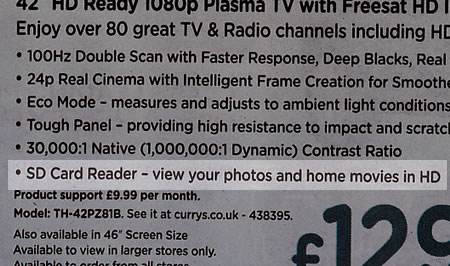
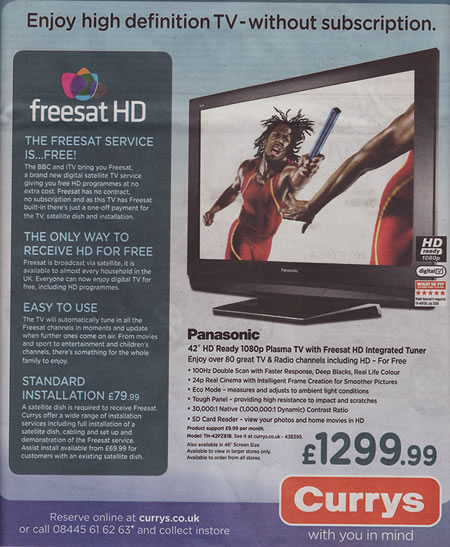
Back in 2006 I mentioned at an online conference about showing digital images on your TV. So there I was looking in the Guardian today when this advert caught my attention.

e-Learning on your TV

If you look closer at the features you see.

e-Learning on your TV

What this means is that if learning content is saved as a series of images onto an SD card then the learner will be able to view that content on their new HD TV as well as watch Freesat!

If they have a DVD player, say a £17 one from Tesco (or a console that can play DVDs) they could convert learning content, video, audio or presentation into a DVD format that can be burnt to DVD.

In fact the Mobile Learning on a VLE presentation I linked to above was also available (at the time) in various video formats for mobile devices, I also created a DVD version as well which worked really well on my TV.

A question for you: Can your learners easily convert learning content from whatever format you have it in and stored on the network (or on the VLE) into a format which will play on their TV or DVD player?

In a previous blog post I mentioned various digital video tools which allow learners to do just that.

Now a question you may have for me regarding interactivity; well watching content on a TV or through a DVD player may not be interactive at all, but this doesn’t mean that the learning activity as a whole needs to be non-interactive. A book is generally non-interactive, but that doesn’t stop it being used as part of a learning activity or scenario. The same can be done with content on a TV (and often is with a video shown in a classroom or on YouTube).

So is this mobile learning, well it’s not using a mobile device, but certainly is learning out of the college and the classroom and therefore the learner is learning whilst mobile in a “sitting on the sofa” kind of way. It is about the learner deciding to choose where they access their learning, whether that be in college, on a mobile device such as a phone, or at home sitting on the sofa in front of their 41″ HD television.

Finally who will be buying TVs like the one advertised, I think you will be surprised by who does.

iPod nano on the big screen

Now and again I will watch video on my iPod, but the iPod nano screen is rather on the small side for me, so prefer using other things for video (such as my Mac or my Archos device).

iPod nano on the big screen

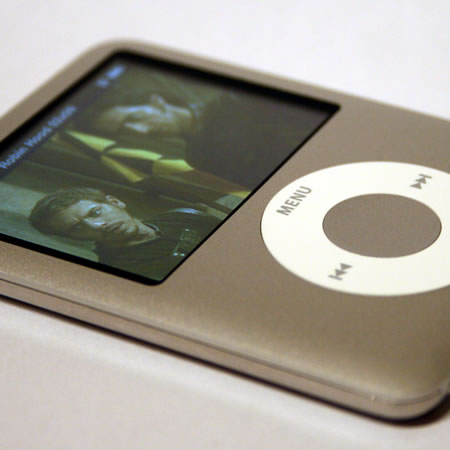
However I have been experimenting with an AV cable for the iPod nano and it works well on my TV. Battery life is ample for a whole movie.

Only downside is pausing or rewinding the movie is a little more complicated than using the remote.

You can also connect the iPod nano to a projector, if the projector has a video input.

Though you can only show videos and images in this way.

Adobe ConnectNow for online presentations

Delivering content online for a conference or a meeting can sometimes be problematic. As part of the MoLeNET project I have been delivering a fair few online conferences using InstantPresenter. One of the problems I had with this system was that the screen sharing was Windows only (and those who know me know that I use a Mac).

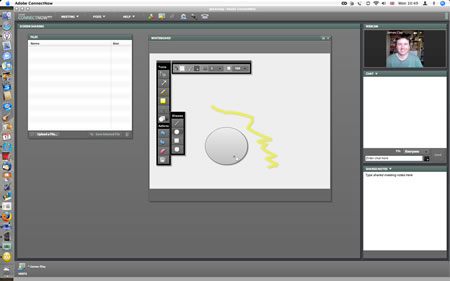
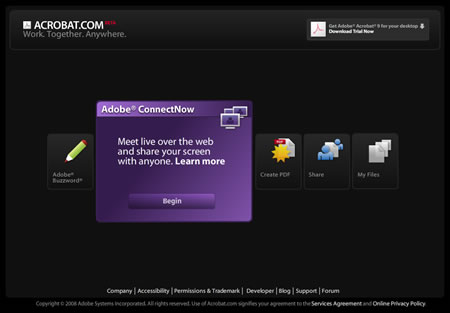
Today Alan Cann (via Seesmic) told me about Adobe ConnectNow which is a way to meet live over the web and share screens, whiteboards, video conference and then some…

Adobe ConnectNow is a great way to share ideas, discuss details, and complete work together — all online. Reduce travel costs, save time, and increase productivity with a web conferencing solution that is easy to access and simple to use.

Adobe ConnectNow for online presentations

The presenter does need to sign up and install a plugin, and the free version allows for three participants. The participants only need to have Flash installed. The full version seems quite expensive, but the quality is really good.

Adobe ConnectNow for online presentations

You can see a demo here (from a Seesmic conversation I was having with Alan about it).

Alas the video is no longer available

Now is this not Macromedia Breeze just reinvented?

Adobe Launches Media Player 1.0 for Mac and PC

After their success with Photoshop Express, we now see another web application from Adobe.Adobe Launches Media Player 1.0 for Mac and PC

This is a media player application which works on the AIR platform.

Macrumors says about it:

In many ways, the Adobe Media Player mimics iTunes Video and Podcast functionality by providing users with an all-enclosed application that provides access to network shows and podcasts. Content is sparse at the moment, but Adobe has partnered with a number of content providers such as CBS, PBS, MTV and more. Unlike iTunes, however, Adobe’s Media Player is not presently a “store” and offers free and ad-supported content. Adobe, however, has said that it plans on adding payment systems later to offer purchase and rental options.

Certainly this looks like it could be a real alternative to iTunes for those looking for a way to play podcasts.

iPlayer on the Wii

Though the BBC may be having (heated) discussions with certain ISPs over the BBC iPlayer and has had issues with the iPlayer on the iPhone; it now appears that you will be able to use BBC iPlayer on your Nintendo Wii.

The BBC’s iPlayer video service will soon be available via the Nintendo Wii.

The video download and streaming service that lets people catch up with BBC programmes will soon be a channel on the hugely popular game console.

Early versions of the service will be available from 9 April but more polished software will be released as the service is developed.

You can already use the Wii with an internet service to access the internet, but certain sites such as BBC’s iPlayer have been unavailable until now.

This now means that you can watch some of the last seven days of BBC TV through your console. Yes you will need an internet connection (and a wireless connection at that) but you can use it to watch old TV.

iPlayer on the Wii

So…

Well it does provide another reason why it might be purchased (instead of a “real” computer). If our learners are using consoles such as these not just for gaming, but also for watching video, viewing photographs, listening to music, even surfing the web; shouldn’t we try and ensure that we take this into account when we plan and develop e-learning and mobile learning activities and scenarios.

It might not be the “perfect” computer for e-learning or as mobile as a PDA, however for some learners it is the only device which they have substantial access to and therefore can not be ignored.

Streaming video LIVE!

I am currently at the JISC RSC SW HE Conference in Bristol today. I am trying out a new video streaming service, Qik.

Qik allows you to stream live video to the internet from your phone. Qik also records and stores the video so you can view it later.

Both the live video stream and the recorded videos can be embedded into a web page or a blog post in a similar manner to Youtube videos.

Unlike Shozu which allows you to post a recorded video from a phone online, Qik allows you to stream the video live. So as you film, it is available online on the web.

It is similar to Ustream or Stickam, however those services generally use a computer to capture and stream the video, Qik uses a phone. I am using a Nokia N95 with a 3G data connection to do this and works quite well. The Nokia N95 also has wifi capability so you can use wifi if you have that connectivity available.

You can see all my Qik videos here.

BBC launches iPlayer for iPod touch and iPhone

The BBC launches a version of its iPlayer video on demand service for the Apple iPhone and iPod touch.

The BBC has launched a version of its iPlayer video on demand service for the Apple iPhone and iPod touch. It is the first time the software has been available on portable devices. The software, which allows users to download programmes from the last seven days, will work over a wi-fi connection but not over the mobile network.

Read more.

I am really pleased to see this happen. I do use the (flash version) of the iPlayer on my Macs now and again to catch up with the odd BBC TV programme either I miss or my EyeTV misses.

This will allow me to catch up either at home or say over lunch at work (on our new learner wireless network).

Obviously from a licensing perspective we can’t use this within the college to show BBC programmes to learners, but this does now allow learners who have an iPhone or an iPod touch to watch the useful or interesting BBC programme on the iPlayer.

Connecting your PSP to a Projector or a TV or similar…

One of the new features of the 2000 series of the PSP is that you can now purchase an AV cable which allows you to watch video or view photographs through your TV (or through a projector if it has composite video inputs).

I recently got hold of a cable, it is available through Amazon, but initially I tried at my local Sony centre (well the PSP is a Sony product and it’s an AV cable and the store has lots of big tellies) well no luck there. Nor at Dixons (well dot Curry Digital’ish aren’t they called) in the end I tried Game and found one on the bottom shelf nearly hidden away.

At £12.99 it’s not expensive, but it’s not cheap either, but it does work very well.

PSP

Initially I tried the cable with one of those small portable Toshiba LED projectors and though I couldn’t get any audio it worked much better than I thought it was going to.

Then into a classroom with a projector, all our rooms at Gloucestershire College which have Activboards (which is virtualy all of them) as well as a computer also have an amp and speakers allowing you to play audio very easily in the classroom, so quickly connected to the AV cable to the video input and the amp and there was video form the PSP playing through the big screen.

Also tried PowerPoint slides saved as images which worked well, and a Keynote presentation saved as a movie file complete with audio track which worked even better.

One concern I did have was that there was a warning on the packaging that the PSP could only output in NTSC format only and of course here in the UK we use PAL, so when I got home I connected it to my TV, which is an older Sony CRT model and it worked really really well.

Overall I was impressed with the cable and the quality of the output. It certainly is one option for presenting audio and visual content through a projector or a TV and therefore useful not just for teaching staff in presenting learning resources, but also for learners with accessibility issues in accessing PSP content on a small screen.