All posts by James Clay

Augmented Reality

Today at the MIMAS Mobile Learning event, Gary Priestnall – Associate Professor within the Geographical Information Science research group, School of Geography, University of Nottingham, and manager of the Nottingham arm of SPLINT (SPatial Literacy IN Teaching) gave a really interesting presentstion on his work on augemented reality.

I do think that augemented reality has huge potential for learning and for providing information to learners, not just in an interactive engaging way, but in an accurate way as well.

TAT has been doing some work on augemented reality.

When someone views you through their handset’s camera, pre-selected info and social networking links appear to hover around you, letting your new found friend in on more than just your pretty smile.

So is this creepy or no different to putting your Twitter name on the final slide of your conference presentation?

via Engadget

Wifi – Venetian Style

venicewifi

BBC reports on Venice’s new wifi network.

The Italian city of Venice has launched what is believed to be the most extensive, wireless internet system anywhere in Europe.

Ten thousand kilometres of cables have been laid, establishing wi-fi hotspots just about everywhere in the city.

So now when in Venice you will be able to use your laptop, UMPC, micro-laptop, wifi phone,  iPhone, even an iPod touch to connect to the internet over wifi.

Here in the UK we have Norwich however not much else seems to be happening with city wide wireless networks. Gloucester doesn’t have one, neither does Bristol; my two big local towns. Even finding free wifi is problematic with most wifi hotspots are charging, sometimes silly amounts of money.

If we are serious about personalisation of learning, mobile learning and enhancing e-learning, we need to allow our learners to be able to communicate, collaborate and reflect anywhere, anytime and at a pace to suit the learner. This more often then not, means that the learner needs to be connected. If they are using the VLE, Web 2.0 tools such as Twitter, blogs, e-portfolios, or whatever; all these tools generally need an internet connection.

3G which isn’t available on all devices: is too expensive for most, not reliable enough for all, patchy for some and leads to digital exclusion.

City wide wireless networks like in Venice and Norwich would allow learners to access learning when and where they wanted to.

Photo source.

100 ways to use a VLE – #7 Assignment Submission

essay0709

We often ask learners to submit assignments, often with a top sheet and to get it signed in. All this takes time and staff.

So why don’t we use the tools that we have in the VLE?

Most VLEs like Moodle, have the option of allowing learners to submit assignment electronically. The student uploads their assignment (as an electronic file). The VLE records the time and date of submission and more often then not, gives the student a receipt of their submission.

The tutor can very easily see which students have submitted and which haven’t. Some VLE assignment submission systems can be configured to not accept late submissions, but even if you do, you will be able to see which were late and which were on time.

Using tools such as Turnitin, it is possible to add automatic plagarisim detection to the submission process, flagging up assignments which may or may not need to be checked.

So why don’t we do it more often?

Well there are lots of reasons and some of them are quite valid.

If you submit electronically, then you need to mark them electronically, and some staff have reservations about marking on a screen. Either they don’t like looking at a screen for a long time or they don’t have easy access to a computer. Also though tools such as Word do allow for commenting and annotation, they are not the most intuitive of tools to use. As a result they will often print the assignments out, this means instead of twenty learners printing out one document each, the lecturer will be printing twenty out, which takes time, the time which was supposed to be saved by the learners submitting their documents electronically.

The learner will need access to the VLE to submit their work. If they don’t have access from home, will they be able to do so from college. It makes sense to think about the deadline for assignments as a result.

What about when the assignment submission process fails? The VLE doesn’t work or falls over. Well common sense approach works here, in the same way if the member of staff who collects physical assignments was ill, you just work around the problem and provide the students with a different way of submitting work, or change the deadline.

What about if learners don’t want to submit electronically? If as a institution you are embracing the concept of personalisation, then electronic submission may be just one way in which students can submit work, you may want to offer them a choice.

One solution which staff may want to think about is changing the way they mark electronic documents, stop thinking of them as electronic paper documents that you “write” on, but as digital files and as a result use digital technologies to mark them. What about using audio or video to provide feedback? Record your thoughts and feedback as you mark the document; then the student will be able to listen to your feedback as a virtual you and they go through the assignment. The JISC Sounds Good project did some interesting work on this. One of the tutors at Gloucestershire College has also undertaken a trial with recording feedback, and has had very positive feedback from the learners, who have taken more notice of the audio feedback and found it more useful.

Of course some assignments just don’t fit electronic submission, a poster for example. However just because one format of assignment doesn’t fit, doesn’t mean we should never use electronic submission. Electronic submission actually makes it possible for a wider range of assessments to be submitted than just written assignments. Learners can submit videos, audio files, muti-media presentations. With tools such as Google Docs, wikis, Prezi, Slideshare and other online presentation sites it is now much easier for learners to demonstrate their understanding.

Submitting assignments through the VLE is one way in which you can increase use of the VLE and make it easier for learners to get a better understanding of how it works and more choice on what and how they submit their work.

Photo source.

St Austell

So here I am down in Cornwall for the Cornwall College ILT Fair. I am down here as a MoLeNET Mentor providing specialist support for Cornwall College. I have been asked to do four workshops on mobile learning with some Web 2.0 thrown in as well.

Rather than do four identical sessions I will be doing four different ones.

I have my bag of stuff so can show lots of things. Also have a case of PSPs with cameras that will be used. Hoping to stream some of the sessions using Qik or Ustream. Will be posting to Twitter as well.

Should be fun.

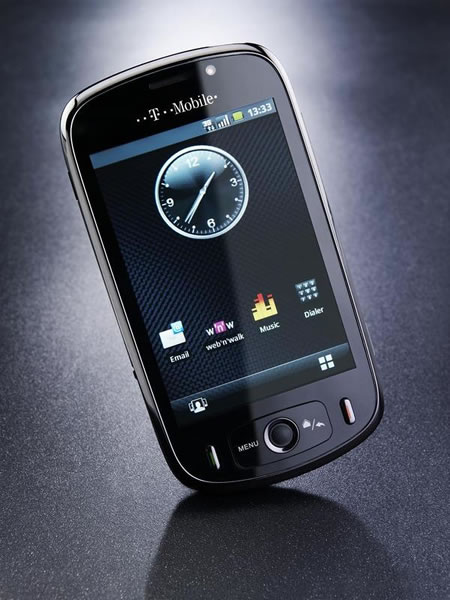
PSP Phone

The iPhone has dominated the thoughts of many, more so with the release of the new iPhone 3GS. I have met many e-learning professionals and lots of them use iPhones and extol the benefits of the iPhone. The same is happening across the country and elsewhere in the world

Reuters reports that

Sony Corp is considering developing a cellphone-game gear hybrid in a bid to better compete with Apple Inc’s highly popular iPod and iPhone.

The PSP is a very popular gaming console, I can’t though see the PSP Phone as an alternative to the iPhone, but more a different beast appealing to a different audience.

e-Learning Stuff Podcast #025: To tether or not to tether

James talks about his opinion of Apple’s new iPhone 3GS. He talks about the new features, the 3MP camera, video, digital compass, faster hardware, internet tethering.

iphone3gs

He mentions JoikuSpot, the Nokia N95, MiFi, wifi hotspots and the WiFi Zone and Wifi Trak iPhone applications. He then reviews his new Polaroid Pogo printer and finishes off on Evernote.

This is the twenty-fifth e-Learning Stuff Podcast, To tether or not to tether.

Download the podcast in mp3 format: To tether or not to tether

Subscribe to the podcast in iTunes.

James is on his own this week.

Shownotes

  • Apple launch the new iPhone 3GS which has some nice new capabilities.
  • JoikuSpot allows you to use your wifi phone, such as the Nokia N95, as a wireless access point.
  • The MiFi is a 3G wireless access point, which runs on battery.
  • WiFi Zone and WiFi Trak are iPhone applications which allow you to find WiFi hostspots (both links are iTunes Store links)
  • The Polaroid Pogo is a Bluetooth portable battery powered printer which prints 3″ x 2″ sticker prints using a zero ink technology called Zink.
  • Evernote is a web based note application.

Using the PSP

Luke Fletcher from Gloucestershire College talks candidly about how he used the PSP with camera with his learners.

Luke was in the office for a chat, when a colleague (off camera) asked him how he found using the PSPs, luckily for I had a camera to hand, so I just picked it up and hit record and caught this wonderful natural narrative from Luke about using the PSP.

Open Educational Resources

Those who know me know that I am a huge fan of sharing and collaboration. It was a key part of my role at the Western Colleges Consortium and I have contined to promote sharing of practice and resources.

Back in 2002, MIT launched their OpenCourseWare, and I on this blog reported in December 2007 about Yale’s entry into this field.

Yesterday, JISC officially launched the Open Educational Resources programme.

Open Educational Resources (OER), funded by HEFCE and run by the Academy and JISC, aims to make a wide range of learning resources created by academics freely available, easily discovered and routinely re-used by both educators and learners.

OER could include full courses, course materials, complete modules, notes, videos, assessments, tests, simulations, worked examples, software, and any other tools or materials or techniques used to support access to knowledge. These resources will be released under an intellectual property license that permits open use and adaptation.

As well as providing a wealth of resources which can be used (and much of the material can be used in FE as well as HE courses) it also sends a message to universities and college that it is okay to share and good to share. It should have a positive impact on your reputation and enhance and enrich the learning experience of your learners.