Have you stopped beating your wife?

Have you stopped beating your wife?

Just answer the question, yes or no?

No sorry, just answer the question…. yes or no….

Think about, it, what is implied if you say yes or no.

This is a classic loaded question in which you can not just answer yes or no, without implying that you either beat your wife now or have done in the past.

The problem with some questions, is that there is no yes or no answer, even if at first look there only seems to be a yes or no answer.

The question needs to be rephrased in order to elicit a valid yes or no response. Or you ensure that it is an open question.

The same happens with lots of questions about copyright, as a result the answer is not a simple yes or no, but often a maybe, or depends…

The main reason for this is that questions on copyright too often focus on the act of copying or an activity related to copyrighted content.

This will generally be a loaded question about a specific activity which can not be applied to all and any content, as it is the content that defines what you can do with it, not the activity.

The questions needs to be clarified with the content that you are working with.

For example.

Is using an image found via a Google Image Search in a handout illegal?

You can’t answer that question with a simple yes, or no. So often the answer has to be; that using an image from Google Image Search “may infringe copyright”. The reason is simple some of the images from a search are copyrighted and can not be used in handouts, some images will be licensed under a creative commons licence, some rights holders of images will be happy with you using your image for non-commerical educational reasons, some images will be in the public domain.

The problem with the question “Is using an image found via a Google Image Search in a handout illegal?” is that it implies that either all images are okay to use, or all images by their use would infringe copyright.

You would have to re-phrase the question:

Is using THIS SPECIFIC image found via a Google Image Search in a handout illegal?

Now you can give a yes or no answer. You can’t answer definitely about the activity without the context of the content. It is much easier to define what you can and what you can not do when it comes to content; almost impossible when trying to define what you can by activity.

However this doesn’t really help the practitioner who wants a simple yes or no answer to their original question.

As I said in my last post on copyright,

Those of us who support learners need to provide solutions, not barriers to teachers.

So rather than spend time answering questions about what you can and can not do, or which images you can and can not use, you provide teachers with collections of images that can be used, so the question need never to be asked or answered.

For example there are thousands of images on the web that can be used for teaching and learning, many using Creative Commons licences.

Use Google Image Search and find images you can use.

Creative Commons licensed images from Flickr

Images (and other media) from Wikimedia Commons

Public Domain images from the US Government

Or get your institution to sign up to a licensed image collection such as JISC Collections Education Image Gallery.

Teachers also need to be more creative and willing to compromise over which specific images they want to use. Yes we know that particular picture from  Getty Images is what you want, but why not use a different one instead.

Also remember that under the UK Copyright Act you can show an image in the classroom without needing a licence, so even if there is a specific image you need to use, show the image rather than make copies of it. Link to the page with the image on, rather than put it on the VLE.

The answer as I have mentioned many times before on this blog and during workshops and presentations, is not about putting up obstacles, it is about informing teachers providing them with solutions and removing barriers.

As for the image above, well it was found via searching Flickr for Creative Commons licensed images using the term “judge uk” and as part of the Creative Commons licence I need to attribute the image on this blog via a link back to the photo page on Flickr. I license all my photographs on Flickr under a similar licence.

Keynote Remote – iPhone App of the Week

Keynote Remote – iPhone App of the Week

This is a regular feature of the blog looking at the various iPhone Apps available. Some of the apps will be useful for those involved in learning technologies, others will be useful in improving the way in which you work, whilst a few will be just plain fun! Some will be free, others will cost a little and one or two will be what some will think is quite expensive. Though called iPhone App of the Week, most of these apps will also work on the iPod touch.

This week’s App is Keynote Remote.

Using Wi-Fi, Keynote Remote turns your iPhone or iPod touch into a wireless controller. In landscape view, see the current and next slides. In portrait, see the current slide with your slide notes. Tap to play and swipe to advance, wherever you are in the room.

£0.59

Now this is not the App I think it could be, there are limitations that I will cover later.

What this App allows you to do is to remotely control your Keynote presentation on your Mac from your iPhone over WiFi. So rather than be tied to the podium or the Mac, you can move around the room (or the stage) and even into the audience.

It also allows you to view your slide notes or the next slide. This is useful in a presentation depending on how you present.

I have used it a couple of times for presentations and when rehearsing it worked flawlessly.

The way it works is you create a connection over a wireless network between the iPhone and the Mac. You can then use the App on the iPhone to control the Keynote presentation. It allows you to start the presentation, move between slides (back and forth) and even jump to different slides. You can either view the notes field as you present or the upcoming slide.

So even though I love the concept and when I try it out, there are some things you need to consider.

This only works with OS X and only with Keynote ’09. If you have an earlier version of Keynote it won’t work and if you have PowerPoint for Mac, it won’t work with that. Of course this is OS X, so if you have a Windows PC then this is not an App for you.

You can either view the notes field as you present or the upcoming slide, however you can’t flip between the two as you present, it’s either notes or next slide, not both.

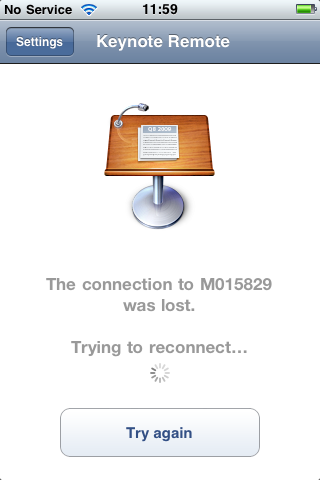
It also only works in WiFi, it doesn’t work on Bluetooth and neither does it work via USB (which though tethered could be useful). WiFi is alright, however it doesn’t always work as expected and does require the presence of a wireless network, that is not always going to be available in every location you need to use this. Even though it worked fine before two recent conference keynotes, due to the use of the WiFi network by others in the conference (ie all the delegates in the hall) I found that the Keynote Remote application couldn’t connect to the Mac over the WiFi and as a result I couldn’t use it!

Not really an App of the Week if it doesn’t work. However I am not sure if this is an actual problem with the App or just a symptom of an overcrowded and overused wireless network at the conference.

So the next time I use it I have either decided to use my own wireless network. Now this creates its own issues. If I also need internet access then using a standalone Airport Express or wireless router will more than likely stop me from doing that. Likewise though you can use Internet Sharing on a Mac to create a wireless network, this is only possible if you have administrative rights over your Mac, something that not every IT department allows. If you do have administrative rights then you can configure your Mac to share its internet connection (even if it doesn’t have one) over the Mac’s Airport to create a WiFi network. If you need internet then if you have a 3G Dongle or USB Stick then this could be used as the internet connection which is shared across the Airport to create a WiFI network and still have internet access. Another option I may use is to use either my MiFi or Joikuspot on my Nokia N95.

e-Learning Stuff Podcast #033: The Ascilite 2009 Keynote

James Clay’s Keynote at Ascilite 2009.

This is the thirty third e-Learning Stuff Podcast, The Ascilite 2009 Keynote.

A recording of James Clay’s Keynote at Ascilite 2009 in Auckland, in New Zealand. This took place in December 2009.

Download the podcast in mp3 format: The Ascilite 2009 Keynote

Subscribe to the podcast in iTunes.

Due to the nature of the recording, the audio quality of this podcast is lower than would normally be expected.

Want to join the conversation?

I am in the process of planning two symposia submissions for ALT-C 2010.

If you were aware of the VLE is Dead Symposium from ALT-C 2009 then you will know that these can be not only great fun, but interesting, useful and informative.

So what are the two?

Are you stealing stuff?

So there you are creating a presentation, learning resources, handouts, learning objects, handouts…

Now in those is there any stuff, such as text, images, audio, video that you didn’t create, have “taken” from somewhere else (such as a website).

Did you think it was okay, as it was “for education” and it’s not as though you took it, you merely made a digital copy.

In this digital age it is much easier to create interactive, colourful, exciting learning resources. It is also just as easy to infringe copyright.

Should we as learning technologists be turning a blind eye to this, to increase the usage of learning technologies, should we be the guardians of digital content, should we be ensuring that infractions don’t happen?

This debate will look at the issue of copyright in a digital age and the role of users of learning technologies and learning technologists.

Best thing since the printing press!

Alternative title: Do you like books or do you like reading?

e-Books and e-Book Readers are going to be big! Apple have announced the iPad, Amazon have their Kindle, many other manufacturers are offering a wealth of e-Book Readers. Likewise publishers are now offering many more titles in the e-book format.

We know that some people like physical books, well if you like reading and e-Book Readers offer the reader a lot more than a traditional book.

With an e-Book Reader you can carry more than one book, you can carry a lot more than one book. You can carry documents too. The screen is reasonably large enough too so that it is easy to read. The battery life is pretty good too, much better than many laptops or a phones. With devices such as the iPad you can view video or play audio.

e-Books are not about replacing books, in the same way that online news sites don’t totally replace physical newspapers, or YouTube replaces TV.

Likewise e-Book Readers don’t replace computers; what both e-Books and e-Book Readers do is allow reading to happen at a time and place to suit the reader.

However is this all just hype? A marketing dream that will never bear fruit and e-Book Readers and iPads will be placed in dusty cupboards.

Will e-Book DRM make it impossible or difficult for educators to use e-Books effectively?

This debate will discuss the emergence of the e-Book as a new format to enhance and enrich learning. Is it the best thing to happen to reading since the printing press, or is it just a big hyped bubble that will burst?

———-

If you are interested in being part of this then please let me know either by e-mail or adding a comment below.

I would suggest if you haven’t done so already, watch the VLE is Dead debate , as this will give you an idea of the format; likewise read this blog post on how I feel about conference symposia and how the symposium will be run.

I am looking for people to have different views to my own. I am also looking for a chair for each discussion

Deadline for submission to ALT is the 15th February, therefore I need to know as soon as possible.

Photo source.

100 ways to use a VLE – #94 Setting a Quiz

Assessment is an important check on learning, have the learners understood what they have learnt and can they apply what they have learnt.

Assessment can take many forms, most require not just time from the learner to complete, but also from the assessor in marking the work. It also takes time for all the “paperwork” related to submitting assessments.

Quizzes are a quick and easy way for learners to check their learning and for assessors to see if the learners have learnt.

Though a VLE can not be used to set and mark all types of quiz it can be used to make life easier for the assessor in maintaining the “paperwork” of certain types of quizzes. Have all the learners done the quiz? What mark did they get?

Quizzes can be configured in many different ways, one attempt, one timed attempt, multiple attempts, unlimited time, etc…

Various types of questions can be undertaken on the VLE, as well as simple multiple choice, you can use matching questions, true false, etc…

The nice thing about the VLE is that for many quizzes it will mark it for you. Excellent saving time and improving learning.

Are you stealing stuff?

So there you are creating a presentation, learning resources, handouts, learning objects, handouts…

Now in those is there any stuff, such as text, images, audio, video that you didn’t create, have “taken” from somewhere else (such as a website).

Did you think it was okay, as it was “for education” and it’s not as though you took it, you merely made a digital copy.

Now I am not of the ilk that making copies or using other people’s digital content is stealing, however I do believe we should respect the wishes of content creators.

Personally I think we as teachers and educators should be setting examples to our learners. We should be seen as role models, that learners can look up to and respect.

As soon as we decide that there are laws we shouldn’t adhere to, what are we saying to learners; that some laws are okay to be broken. Then the question has to be asked, which laws should we obey and which should we ignore. The problem with that approach is that not everyone thinks the same.

Also learners may think that “as my teacher has downloaded video from the web, it must be okay for me to download video”. Even if you feel file sharing is no big deal, how do you think the parents of a learner getting a fine, an injunction, or their internet cut off; because they were “caught” downloading illegal copies of films and TV shows.

Part of the issue is that a lot of teachers are ignorant of the law or the terms of use of various websites. They are unaware of what is allowed and what isn’t.

A prime example is YouTube. In many schools YouTube is blocked for a variety of reasons, however many teachers wish to use videos from YouTube. So they use a YouTube video download service to download the YouTube video as an FLV or an MP4 file. This file can then be played in school. From reading on Twitter most people and teachers think this is fine, as it’s “not really copying” or “it’s for education” or “if tools are available on trh web then it must be okay!”

The thing is that this process of downloading YouTube videos is a breach of YouTube terms of use.

You agree not to access User Videos (as defined below) for any reason other than your personal, non-commercial use solely as intended through and permitted by the normal functionality of the Services, and solely for Streaming. “Streaming” means a contemporaneous digital transmission of the material by YouTube via the Internet to a user operated Internet enabled device in such a manner that the data is intended for real-time viewing and not intended to be downloaded (either permanently or temporarily), copied, stored, or redistributed by the user.

The Terms of Use are quite clear, you can only stream the video and you can’t download the video.

Many content providers put content on YouTube and only want you to stream the content, if they wanted you to be able to download it they would let you download it. Michael Wesch for example does allow you to download his videos, see the “more info” on his video page.

What could happen if everyone downloads videos from YouTube is that content providers would no longer use it and would use their own system or no system at all. Just because you have the tools, and technically you can, doesn’t mean you can and should.

Another reason, your college or school management have placed the block on YouTube, by downloading the video and showing it in class, you are circumventing the block and therfore you could be in breach of your institutional AUP and internet policy, which could be a case of misconduct or breach of contract.

It should also be noted that not all videos uploaded to YouTube are legitimate and showing the video could result in legal action.

All this for just one “innocent” activity, no wonder people get confused.

But as well as not knowing what isn’t allowed, many teachers also aren’t aware of what is allowed.

For example can you show a pre-recorded DVD in the classroom? In other words a DVD which has been rented from a video store, or a DVD purchased from a retail store? Most DVDs have a disclaimer at the beginning (or the end) which explicitly says that the video can not be shown in schools, colleges, prisons, hospitals, etc….
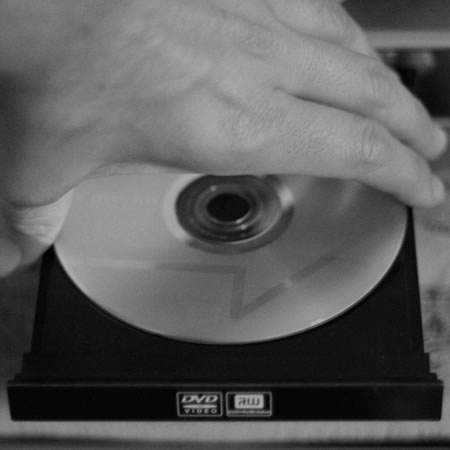
Under the Copyright Act, you can show a DVD in a classroom for the purposes of instruction without needing an additional licence.
If it is for entertainment purposes then you do need a public performance licence.

Part of the misunderstanding arises as generally when you play a DVD you get this huge legal message indicating that your DVD is for personal use only and can not be played on oil rigs, in prisons, schools and colleges.

Part of the misunderstanding arises as generally when you play a DVD you get this huge legal message indicating that your DVD is for personal use only and can not be played on oil rigs, in prisons, schools and colleges.

That is partly true for the purposes of entertainment and you would need to purchase a licence to show a DVD for that purpose.
However for informational and instruction (ie for educational reasons) it is possible to show that DVD in a classroom.

Teachers and lecturers have a statuory right (it is enshrined in law, the Copyright Act to be precise).

From the Government Intellectual Property Office.

“Performing, playing or showing copyright works in a school, university or other educational establishment for educational purposes.  However, only teachers, pupils and others directly connected with the activities (does not generally include parents) of the establishment are in the audience.  Examples of this are showing a video for English or drama lessons and the teaching of music.  It is unlikely to include the playing of a video during a wet playtime purely to amuse the children.”

From Filmbank.

“A copyright licence is required to screen films in educational institutions under the Copyright, Designs and Patents Act 1988 (UK), if the film is being screened for entertainment purposes rather than for the purposes of instruction or as part of the lesson.”

So could you rip that DVD and put it on a laptop or on the VLE?

Ah no.

Ripping a DVD would be in breach of the EU Copyright Directive which “prohibits circumvention of copy protection measures“. So ripping the DVD is a criminal offence.

Confusing.

Of course.

This blog entry was inspired by a blog post by Simon Finch. He writes about society and using stuff, he makes an interesting observation towards the end of his post:

Web 2.0, and the rest, is making us a world of creators and publishers. We’re uploading pictures, music, videos, Flash activities, personal writing, presentations, teaching resources and more – and so are our learners. That image that you’ve found, is just the thing to add value and impact to the learning activity for that needy class of yours. But that image doesn’t belong to an international image company – no, it belongs to someone like you..

Now we are not just using stuff from faceless organisations we are also using stuff from people like us, people we know.

So how do we change things?

Most people I know think that 33mph in a 30mph zone is okay, a few people think 40mph is okay, a smaller number think that 50mph is not over the top…. the reality is that less than 30mph is best. Not because I think so, but because society thinks so.

If you don’t like a law then we need to change that law. The problem with copyright law is that the money to change that law is coming from publishers and not from the consumers – but having said that, that is often the case, the consumer suffers, whilst “big business” profits.

I also agree with Simon when he says:

Yet the real point is this; we must teach our learners to value IPR. It is simply wrong to take without asking. It is wrong to pass what’s not yours, as your own. We need to instill respect for one and other – that is our priority.

I don’t even think it’s all about money – it’s about acknowledging people’s value.

At the end of the day, my solution is to stop using “borrowed” third party content and start using content that I am allowed to use. As a teacher in the 1990s I did right click, now I use Flickr for creative commons licensed images.

The thing is that there are now lots of legal solutions to many of the copyright problems that teachers face, we can provide learners with content which is legal. Those of us who support learners need to provide solutions, not barriers to teachers. Teachers also need to be more creative and willing to compromise. Finally rights holders need to also be more creative in allowing people to use their content in creative and educational ways and allowing it to be used legally.

Update: as mentioned in the comments below, just saying “I use Flickr” was insufficient. I use creative commons licensed images from Flickr and properly attribute the photographer as required according to the licence. I made the wrong assumption that people would assume that I was talking about CC images from Flickr and not all images from Flickr.

James Clay talks with Talis

I have been interviewed by Talis as part of their series of podcasts.

In this podcast, I talk with James Clay from Gloucestershire College, ALT’s Learning Technologist of the Year, 2009. James is responsible for the VLE, e-learning, mobile learning, the libraries, digital and online resources and the strategic direction of the college in relation to the use of learning technologies. We talk about the achievements of James and his team in introducing innovative technologies at the college, and how encouraging experimentation with technology has gradually changed the organisational culture. With staff using a wider range of media resources with greater confidence, it is easier for his team to embed new technologies as they alerted to new needs and expectations by diverse consultation methods they have in place with both staff and students. Students are also encouraged to use their own technologies – a neat response to funding constraints whilst simultaneously meeting student expectations. Many of the students at Gloucestershire College will be making their way towards a university course, and so it’s useful to hear James characterise those students and their relationship to technology. Indeed, it is his above all those insights that have brought James to the pragmatic position in the Is the VLE Dead debate for which he is known to many. We conclude by discussing the present and future of the VLE, and his experiences with Moodle.

Listen to the interview.

TomTom UK & Ireland – iPhone App of the Week


TomTom UK & Ireland – iPhone App of the Week

This is a regular feature of the blog looking at the various iPhone Apps available. Some of the apps will be useful for those involved in learning technologies, others will be useful in improving the way in which you work, whilst a few will be just plain fun! Some will be free, others will cost a little and one or two will be what some will think is quite expensive. Though called iPhone App of the Week, most of these apps will also work on the iPod touch.

This week’s App is TomTom U.K. & Ireland.

Cost £49.99

So you need to know where to go?

You need to know how long it will take?

You need to be able to find an alternative route just in case?

Then the TomTom App could be the perfect app for you…

Okay this is one of the most expensive Apps in the iTunes Store and if you already have a TomTom or GPS then you certainly won’t want to buy this. However if you are looking to get a SatNav then getting one for your iPhone is certainly a real possibility.

Now to use this in the car you either need to get a car charger or the TomTom iPhone Car Kit. Now this adds another expense to the cost.

This is not a cheap SatNav, you can get much cheaper standalone SatNav devices from other places. However if you prefer to carry only one device (or not too many devices) then having a SatNav on your iPhone can make a lot of sense. The TomTom App also works as a pedestrian SatNav (ie when walking around).

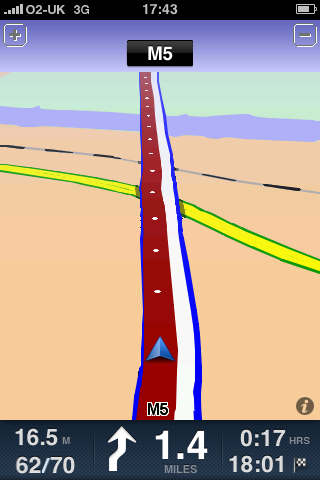
The iPhone already has the GPS chip, however in order to make best use of the TomTom App then you really need the 3GS model with the digital compass. You can use the TomTom App on the 3G model however when you are in urban areas with lots of turns it doesn’t really work as you would like it to.

So why not just use the Maps App that comes with the iPhone? Well though the App can use the GPS chip, and can be used for directions, it doesn’t have turn by turn directions that the TomTom can. Though the main reason you don’t want to be using the Maps App is that the maps are not held locally and need to be downloaded from a server. This is fine if you have a good fast 3G connection, less so if you are in a rural area. The Maps App also only works properly when you are connected to a phone network. I found that out when I was in New Zealand recently. I had turned on Airplane Mode on the iPhone and was using the wifi and when using the Maps App the iPhone decided that I was in Kobe Airport in Japan, even though I was in Auckland. When I switched the phone mode on, it then found me accurately in Auckland. It should be said of course that the TomTom would not work in New Zealand either as I only have the UK & Ireland version. Though the TomTom New Zealand App is available.

GPS and location services offer many possibilities for learning, though a SatNav App may not be as useful as other Apps which make use of the GPS chip in the iPhone.

The key question about the TomTom is, does it get you to where you need to by the time you need to, then yes it does. Is it value for money, no it’s not the cheapest option and for a lot of people a dedicated SatNav is probably a better option. Does it offer much for learners? No not really.

e-Learning Stuff Podcast #032: In conversation

James Clay in conversation with Alan Graham.

This is the thirty second e-Learning Stuff Podcast, In conversation.

Alan Graham in conversation with James Clay. Alan talks about how he is using mobile devices and the college VLE. As well as some other stuff.

Download the podcast in mp3 format: In conversation

Subscribe to the podcast in iTunes.

100 ways to use a VLE – #95 Setting an Assessment

Assessment is an important check on learning, have the learners understood what they have learnt and can they apply what they have learnt.

Assessment can take many forms, most require not just time from the learner to complete, but also from the assessor in marking the work. It also takes time for all the “paperwork” related to submitting assignments.

Though a VLE can not be used to set and mark all assessments it can be used to make life easier for the assessor in maintaining the “paperwork” of assessment. Have all the learners received the assessment? Have all the learners submitted their assignment? Which learners have submitted on time? Has the assessor graded every assignment? Has the assessor given every learner feedback on their assignment?

The assignment module on Moodle (VLE) can allow for all this making life much easier for assessors to ensure that all the relevant “paperwork” and grading for assignments is done. Learners know that they have submitted and they can use the VLE to access their grade and feedback; they can also re-submit via the VLE too.

The submission process can be undertaken by the learner at a time and place to suit the learner; likewise the assessor can collect in and mark the assignments when and where they want to.

Using a VLE to set an assignment, to ensure that learners submit their assignment, grade and provide feedback can make life easier and better for learners and save time for assessors.

Photo source.

news and views on e-learning, TEL and learning stuff in general…