e-Learning Stuff Podcast #053: Last week or so…

James talks about last week and stuff he saw, wrote about and found…

This is the fifty third e-Learning Stuff Podcast, Last week or so…

Download the podcast in mp3 format: Last week or so…

Subscribe to the podcast in iTunes

Shownotes

100 ways to use a VLE – #70 Hosting video

Though there are video sites out there on the web that will host video. Sometimes you may not want the video to be public out on the web. In that case hosting video on the VLE may be an ideal solution.

If the video is of a presentation on a tricky subject, or contains licensed content that you can place on the VLE, but are not allowed to freely distribute, or has the students in and some don’t want to be publicly online; then place the video on the VLE may be a better option than uploading to Vimeo or YouTube.

Video can be useful to enhance and enrich learning, one lecturer I know films his quiz questions, as the learners find this more engaging than reading them on paper, it also allows him to ask questions about practical stuff more easily than trying to explain a process on paper. Recording debates and discussions, allows learners to reflect and review them at a time and place to suit the learner, rather than just relying on notes and memory. Video analysis of sporting techniques ensures that learners can improve their technique through the video as well as verbal feedback.

By placing the video on the VLE, you can place it in the context of learning, enabling learners to clarify how the video works in respect of the rest of the course or topic.

For ease of access, by placing the video on the VLE, the learners will be able to click and download the video.

Generally though it isn’t perfect, the server may not be configured to deliver or stream video, likewise there may also be storage issues, as video files are generally much larger than text or Word documents.

This is fine if the learners click to download the video inside the college on the fast network connection, but less fine if the students are at home on a slow broadband connection, or more likely on a mobile device.

The key here is to encode the raw video file so that the resulting file is small in size, but not so compressed to be unviewable (very important if there is text in the video).

There is also the question of what type of file format you should upload. Should it be WMV, as everyone runs Windows? What about learners on a Mac, well they should be able to cope with extra software. However WMV is less useful for those on mobile devices or using non-traditional computers like the iPad or a gaming console like the PS3.

Similarly, if you using a Mac to edit the video, h.264 MP4 files are excellent quality for small file formats. However you do need to be careful about file formats so that it will play on most phones, the iPhone, the iPad, PSP, etc… If you are running Windows, after many years of “ignoring” h.264 it looks like that Windows PCs (well newest ones) are able to play h.264 video files.

One option you may want to consider is placing a few formats on the VLE, so giving learners choice on which to download.

From experience, videos should not be too long or too big. In terms of file size try to keep under 50MB, with 100MB being a real maximum, and less than 10MB is better for mobile devices (even on WiFi). In terms of time, I wouldn’t put any video longer than 10 minutes on the VLE. Anything longer, I would put on DVD so that it can be watched on the TV over a computer or mobile device. As with any guidance or advice, there will always be exceptions.

Hosting video on the VLE is sometimes the only option, but with the right amount of compression, it will result in an engaging and enhanced learning experience and not a frustrating annoyance.

Photo source.

Sometimes it does go wrong…

Today I delivered the keynote at the JISC RSC Eastern eFair at Hertford Regional College.

Though the presentation went down well, lots of positive feedback I did have a few technical hitches. Now I made the most of them and used it as an opportunity to talk about the issues of practitioners lacking confidence in the technology and not wanting to use it in case it went wrong. The point I made was that tradition, technologies sometimes fail us, but as professionals we compensate and change what we were going to do. For example if your marker pen runs out of ink on a traditional whiteboard, doesn’t usually stop someone from ever using one again. Likewise if someone has used a permanent marker on the whiteboard, does this stop you ever using one, because the one day you come across a whiteboard where this has happened will ruin your lesson. Practitioners sometimes decide they won’t use the VLE as sometimes it doesn’t work! Would they say the same about a physical learning environment ie a classroom? Sometimes they don’t work, like when it snows for example. So yes sometimes it does go wrong and as a professional you need to either fix it, or get someone else to fix it, or change quickly what you were going to do.

So what went wrong?

Firstly, though I was assured that once I had logged into the wireless network that it wouldn’t time out. It did. Took a minute or so before I could start.

The other issues was about two thirds of the way through the presentation Keynote on my Mac froze! I couldn’t move to the next slide. Without checking fully I think what happened was one of two things. Either the script auto-posting to Twitter was not working properly. Or Powerpoint which was also running on my Mac decided to “hog” all the resources and stop Keynote from working properly. Whatever it was it did mean that I couldn’t move my slide forward for a few minutes.

In the end the pause worked fine as we could discuss technical problems and also showed that tech problems happen to all of us.

Mobile Learning Boot Camp

Gloucestershire College Open Day Tuesday 6th July 2010

Mobile Learning Boot Camp

With the wealth of learning technologies mobile technologies and web 2.0 tools and services available to Further Education, this open day, will provide an opportunity to see how Gloucestershire College are using learning technologies to enhance and enrich learning.

The open day will also give you an opportunity to plan, develop and build learning resources for mobile learning in Further Education. This is a change to the original advertised programme.

Gloucestershire College is running the open day as part of the Becta Technology Exemplar Network (TEN),

This event is free to all FE Colleges and learning providers in the learning and skills sector; you do not need to be part of the TEN to visit.

We are running the Open Day on Tuesday 6th July at our Gloucester Campus. The day will focus on the creation of mobile learning resources and how they can be used to enhance teaching and learning. The day will also give you an opportunity to tour the college to see how we use ILT and how we have embedded learning technologies across the curriculum.

The day will consist of a formal introduction followed by semi-structured unconference format in which delegates will be able to build and create resources that can be used on mobile devices such as the PSP, the iPhone and mobile phones.

Delegates will be expected to bring some content for repurposing or ideas for content.

The day starts at 10.00am and will finish at 4.00pm, lunch will be provided.

Travel

Gloucester is well served by rail networks from across the UK and the college is a 15 minute walk from the railway station.

Gloucester is on the M5 and can be accessed from Junction 12 from the South and 11 from the North. Please note that there is no parking available at the college, though pay car parks are close by.

Booking

Please book online by Friday 2nd July here.

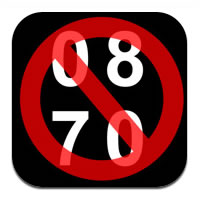
0870 – iPhone App of the Week

0870 – iPhone App of the Week

This is a regular feature of the blog looking at the various iPhone and iPad Apps available. Some of the apps will be useful for those involved in learning technologies, others will be useful in improving the way in which you work, whilst a few will be just plain fun! Some will be free, others will cost a little and one or two will be what some will think is quite expensive. Though called iPhone App of the Week, most of these apps will work on the iPod touch or the iPad, some will be iPad only apps.

This week’s App is 0870.

Many companies use 0870, 0845, 0800 numbers for customer service, which usually cost around 35p per minute to call.

0870 will turn these expensive numbers into 01, 02 (which come out of your contracted minutes) or cheaper 08 numbers.

Save money on phone calls!

Free

This is quite a simple App, which does one thing really well.

Enter in one of those BT local numbers and it will provide you with the “real” number. Simple, but can save you money.

Photo source.

Kindle gets sounds and vision…

Amazon have announced that certain Kindle titles will now have embedded video and audio.

However to enjoy these new “multimedia ebooks” you will need to view them on the iPhone, iPod touch or the iPad using the Kindle iOS4 App.

Amazon.com today announced a new update to Kindle for iPad and Kindle for iPhone and iPod touch, which allows readers to enjoy the benefits of embedded video and audio clips in Kindle books. The first books to take advantage of this new technology, including Rick Steves’ London by Rick Steves and Together We Cannot Fail by Terry Golway, are available in the Kindle Store at http://www.amazon.com/kindleaudiovideo.

Though Together We Cannot Fail is not actually available to buy for customers from the UK!

Probably not obvious to most, these titles with embedded audio and video, though can be read on the Kindle device, will not play the audio and video.

This does beg the question, does Amazon believe that the future of Kindle titles is on the iOS4 platform, on the iPad and the iPhone? Or will we see a more enhanced Kindle in the future that can play the embedded audio and video in these new titles?

Amazon have recently reduced the price of the Kindle, this may be an indication of either of those two points of view.

We will have to wait and see.

“VLEs are crap”

If you work with a VLE and with staff and managers, you may have come across a comment similar to the title of this blog entry, “VLEs are crap”. This comment was quoted on a mailing list I belong to. Going to events I often hear these comments (and even occasionally back at college); they may go onto to talk about very negatively about the VLE. They talk about how learners like wizzy Web 2.0 tools and services like Facebook and YouTube. How they are all digital natives (I know), are part of the Google generation; so the VLE is old, clunky and not for today’s learners…

This view is not that unusual.

The thing is don’t compare the VLE with what you would like it to be, compare it to not having a VLE. The VLE isn’t trying to be perfect, it’s about providing an online or virtual environment that can be used for learning. Yes it can be better, and VLEs have improved over the years, but it isn’t perfection and in life nothing is perfect.

So how do I respond to negativity?

I sometimes use the following…

Educational text books are “rubbish”, students are accustomed to high quality Dorling Kindersley books full of colour pictures.

Educational journals are “a waste of time”, students are accustomed to high quality magazine like FHM, Maxim, Bliss, Closer and Heat; they’re full of colour photographs and bright text.

Educational spaces (ie colleges) are “horrible”, students are accustomed to smelly dark dank rooms that are never tidy… oh wait…

Improved VLE resources at Weston College

Last week I reflected on the JISC RSC SW Annual Conference and discussed Vicky Weavers’ session on VLE standards. As part of her presentation she showed a video clip showing interviews with staff and learners on the impact the improved use of the VLE was having.

Here is the whole video which has interviews with the A’Level History lecturer and learners on the impact of the improved VLE resources.

e-Learning Stuff Podcast #052: Universal Design for Learning

What is universal design for learning? Designing your learning so that it is accessible for everyone. In a nutshell, good teaching.

We also talk (at the end during the credits) about my Skype problems…

James Clay, Lisa Valentine, Lilian Soon and Ron Mitchell.

This is the fifty second e-Learning Stuff Podcast, Universal Design for Learning

Download the podcast in mp3 format: Universal Design for Learning

Subscribe to the podcast in iTunes

Shownotes

Photo source.

news and views on e-learning, TEL and learning stuff in general…