So here’s a question, will Apple’s new iPad make a significant difference to the way that delegates will behave and work at conferences?
It’s still (very) early days for the iPad, and even though it has been on sale here in the UK for less than a month, many people I have spoken to are looking at the device and wanting to buy one. Equally there are others who won’t touch it with a barge pole!
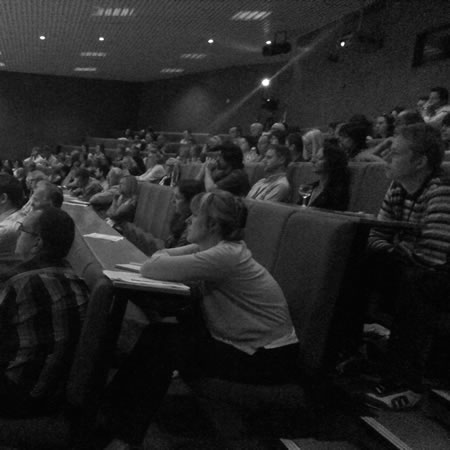
Handheld Learning (now happening in January) will be an interesting conference for many reasons, one of the things that will make this conference specifically interesting will be the number of iPads at the conference. This year if you register early you will receive a free iPad. Now this means at the conference itself, a large proportion of delegates will be bringing an iPad.
So how will they be using that iPad and what difference will it make to the conference?
I have previously on this blog written about amplified conferences and social reporting. In the article I noted at the JISC Experts meeting that:
We used Twitter quite a bit today, so much so that the tag #jiscexperts09 became a trending tag on Twitter.
Lots of comments, discussions and conversations. Some went off tag and continued outside the event.
A really useful and interesting back channel to what was happening in front of us.
I did note the limitations of using Twitter at conferences as well as the advantages.
If you are using Twitter to allow the delegates to converse about the event in a kind of back channel then the fact they are not using it, is probably not a bad thing, as they are probably interacting face to face.
I made the suggestion back then that:
One of the downsides of Twitter (which is also a plus point) is that it is just text and only 140 characters of just text. If you did use social reporters then they could also use other tools to help capture the event for both the delegates and others. They could be uploading presentations to Slideshare, posting photographs to Flickr, pushing videos to YouTube, broadcasting live using Qik, blogging, recording to Audioboo, etc…
So how would this kind of thinking relate to the iPad?
Well the iPad does allow people to use Twitter, but does not have a camera, so stuff like Qik or use of Flickr is not possible; so there are restrictions on how the iPad can be used to amplify the conference.
If lots of delegates have an iPad, then you would expect the back channel to be quite active, but would it be any more active than it is already. I don’t think it will be. Those already using Twitter on other devices, will either continue to use those devices or will switch to the iPad. The key question is will the iPad encourage and facilitate those who don’t use the back channel or use it rarely to engage with the conversation if they had an iPad. Personally I don’t think there would be a big impact, a few delegates may join in with the conversation as they now have a connected device, but I can’t see why others would start to join the conversation. If they can’t see the benefit of using Twitter in this way I can’t see them changing their behaviour as they are now holding an iPad.
However Twitter is just one way for delegates to engage with the conference and is most certainly not the only way and the iPad then can have a much greater impact.
Live conference programme
We are use to having the conference programme handed to us in paper format. People scribble, fold (and generally in my case) lose it. Imagine an iPad App that holds the whole conference programme. One that can be updated if things change, links to presentations and recordings either before, during or after the conference. It would be nice to be able to star sessions so that you don’t miss them,
Venue Maps
Interactive maps of the venue so you don’t get lost! Some venues are very compact and it is impossible to get lost, but at large events or those on university campuses it is very easy to get lost as you trek miles (okay yards) to find the room in which the session is taking place. Add in GPS tracking and you could “track” other delegates!

Sharing contact details with other delegates
There is already an iPhone App for the purposes of sharing contact details. Bump already allows you to very easily over the internet to share contact details. In order for it to work though you do need to enter in your contact details.
Shared note taking
Anyone who has used an Etherpad clone will realise how useful shared note taking can be between delegates at a conference or meeting. Ensuring URLs are correctly written, e-mail addresses, references, questions for the end of the session, etc… It saves everyone making their own version of notes from a session. It is also useful for those that couldn’t make the session, say they were in a parallel session.
Of course anyone who has an iPad who has tried any Etherpad clone will realise that Etherpad doesn’t work on the iPad. Nor do most wikis I have tried and Google Docs.
Evernote has an iPad App but in order to share a notebook you need to have Evernote Premium which is not something everyone will want to pay $5 per month or $45 per year for.
There are some Apps that allow you to collaborate on a virtual whiteboard, but this is not the same kind of functionality as the note taking capabilities of Etherpad.
Shared whiteboard
The Groupboard App allows delegates with iPads to share a common whiteboard to make “notes” and draw diagrams. The free version allows up to five people to collaborate, anymore and you have to pay.
Live streaming
Many conferences stream keynotes and sessions live over the internet. Allowing remote interested parties an insight to the conference and join in over Twitter or similar channels. Streaming sessions is also useful delegates attending the conference, for those that can’t get into sessions which are full, those that are running stands, those networking or for those sessions which start first thing in the morning! One consideration that conference organisers may want to consider is that standard Flash based streaming doesn’t work on the iPad or the iPhone. If you use services such as Ustream it is possible to send an iPhone friendly stream that can be viewed by the Ustream App.
Live blogging
Blogging about keynotes and sessions is a great way to make both notes and reflect on the key points. Adding images to the live blog can make it real for those remote readers and remind those who were there what happened.
There are certainly many ways in which you can live blog using the iPad, if you have a WordPress blog there is the WordPress App for example.
Another way of live blogging would be to use a Posterous blog, this can just be e-mailed from the Mail App on the iPad. You can attach images and video.
So how do you get images and video on the iPad, considering it doesn’t have a camera. By using the iPad camera connection kit, you can easily add images and video from a digital camera.
Key is that the blog posts are tagged with the conference tag.
Reflective blogging
Blogging after the presentation or keynote, during a break or back at the hotel, the iPad again makes an ideal tool for this.
Enhanced presentations and keynotes
Presenters at a conference where the majority of delegates have an iPad will have the opportunity for a more enhanced conference experience in relation to viewing the keynotes and presentations.
I have been using Twitter during various presentations, not always successfully but when it works it works well. The ability to deliver live links, images and information to delegates can really enhance a presentation make it more relevant and useful. You can also pose questions to the audience and with a voting platform or polling tool you will be able to view results.
Or just get them to raise their iPads….
This can certainly engage the audience. Using services like Twitter allows presenters to ask questions that delegates can answer via their iPad is another way of asking questions.
Enhanced workshops and debates
As with presentations, using an iPad at a conference would allow workshops to be a more enhanced experience. The iPad could be used to both deliver key parts of the workshop and as a tool to allow workshops participants to collaborate and work together. Most workshops require delegates to feedback, undertaking this activity through the iPad (say via a blog) would allow others in the workshop to comment on the feedback. Likewise it would also others (who did not attend) to see the feedback.
Using an iPad during debates for votes and questions as well as adding to the debate virtually would make for a deeper debate in some circumstances.
Shared bookmarking
From my experience, a conference is full of useful links, blogs, articles. Bookmarking services such as Delicious allow delegates an easy way of adding and sharing links.
There is an iPhone App (which works on the iPad) and an easy to add bookmarklet to Safari. The only real downside is that Copy and Paste is not as a easy as with using a standard computer.
Key is that the links are tagged with the conference tag as well as other relevant tags.
This will allow delegates to find links later back at base.
Flickr feed
As well as blogging you could also upload images to Flickr, something like FlickStackr can be used for uploading images from the iPad.

So how do you get images and video on the iPad? As already said by using the iPad camera connection kit, you can easily add images and video from a digital camera.
Key is that the images are tagged with the conference tag.
Summary
Many of the above points can also be useful for teaching and learning as well as conferences and events. Maybe the basis of a future blog post.
Anyone who has read this far will realise that none of the above is in fact dependent on all delegates having an iPad. All of the above can be easily done now even if delegates only use their laptops or their phones. In some cases it will be easier with a laptop (look at Etherpad or a conference wiki). However the key isn’t it in fact with the technology but the culture of both the conference organisers and very importantly the conference delegates. I have attended many different conferences where use has been made of social networks for the conference, a conference wiki, cloudworks and more.
However my experience is that the majority of delegates do NOT participate in these extra-curricular networks whilst at the event, some do before and some do afterwards, but generally very few do during the actual event. It is key for any of the above to work that giving each delegate an iPad isn’t sufficient, they also need to be motivated to participate over and above been a passive delegate at the conference. That is a responsibility for both the delegates and the conference organisers.