Category Archives: stuff

Using social media

Today I posted a couple of videos to the blog to demonstrate how quick and easy it is to use social media tools to create content and how RSS can be used to push that content to other sites, devices and even the VLE.

People have often said to me that they don’t have the time to engage with social media. Personally I think we are at the stage where you can’t afford not to. At the conference I was at today once more people were saying where do you find the time?

As I have said many times on this blog one of the core reasons I engage with social media is that it saves me time.

A recent example was when I was tasked with finding a particular e-safety video. A quick Google search did not turn anything up, so I posted to Twitter and was well pleased with the number and variety of responses I got.

Other examples include, posting photographs to Flickr, this means when someone asks to see photographs of the college or a particular piece of tech, then a quick e-mail and link will often suffice. More importantly as people know about my Flickr account they will go and look there without me even needing to worry about being involved.

The same goes for this blog, a place for me to set out my opinions, views and news. People can see what I am thinking and my recommendations, again without me needing to do too much once I have written the blog entry. Likewise if someone asks me for information, if I already have it on my blog, this can save time. Just a quick note about writing, one of the challenges that many people find is, finding the time to write or what to write about. I have found that it is easier to write lots than it is to write a little. This very blog entry has probably taken about twenty minutes, five minutes on the Tube on my iPhone and another fifteen minutes on the train on my laptop (used Evernote to transfer the text).

Another service I use is Delicious, a service that allows me to bookmark websites, a great way of organising my favourite websites. So if you want to know which websites I am looking at, Delicious allows you to do that.

Social media has the potential to make life easier and better, and like any tool, device or service, excessive use is not what it is about, it is about using the service to make life easier and better.

Libraries of the future

Imagine a new Library of Alexandria. Imagine an archive that contains all the natural and social sciences of the West—our source-critical, referenced, peer-reviewed data—as well as the cultural and literary heritage of the world’s civilizations, and many of the world’s most significant archives and specialist collections. Imagine that this library is electronic and in the public domain: sustainable, stable, linked, and searchable through universal semantic catalogue standards.

Thanks to @ostephens on Twitter who pointed out this thoughtful article from Lisbet Rausing on imagining the future of libraries.

It’s an interesting observation when in the article it says

the question for scholars and gatekeepers is not whether change is coming. It is whether they will be among the change-makers. And if not them, then who?

We know change is coming, we can pretend that we can fight it, but the reality is that we need to be making that change.

Free online drive

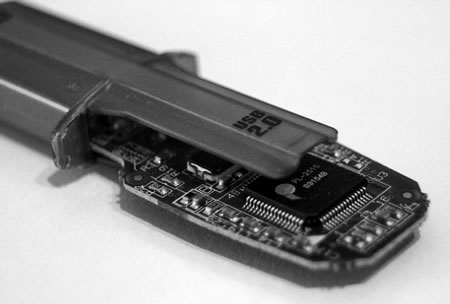
USB memory sticks are so yesterday… if you have an internet connection then there are quite a few free services out there that can provide you with free online storage.

One that I have used in the past is eSnips. It gave you 5GB of free storage.

I have more recently been using Microsoft’s Skydrive.

25 GB of free storage on Windows Live With SkyDrive, it’s easy to store and share your files and photos with almost anyone.

Anywhere access: Get to your online files from home, work, or on the road.

Password-protected: Keep your files to yourself, or share them with anyone you want.

Easy to use: Drag files into your online folders, just like on your PC.

Though well integrated into Windows 7, I have been using it with my Mac and iPhone.

Another service recommended by a few people I know is Dropbox.

Dropbox is the easiest way to store, sync, and, share files online. There’s no complicated interface to learn. Dropbox works seamlessly with your operating system and automatically makes sure your files are up-to-date. Available for Windows, Mac, and Linux.

I have also used Apple’s Mobile Me, but that isn’t free!

So what should you do if you don’t have an always on internet connection, you don’t have 3G, you don’t have a smartphone, you don’t have home internet?

Well, there are these USB memory sticks that don’t require internet access and come in a variety of sizes….

Microsoft’s Android App

The BBC News reports on Microsoft’s Android App.

Microsoft has made an application that works with Google’s Android phone.

Called Tag, the free software uses a handset’s camera to turn it into a mobile barcode reader.

You can read more about this on the Microsoft Tag Blog.

Last year in January I wrote a blog post about Microsoft Tag.

Back then I said…

Yes Microsoft have developed their own version of mobile phone barcodes, which require their reader and require you to register in order to create them.

It’s all very typical Microsoft.

I concluded back then

Overall I am not sure about this, not sure if it will catch on or whether we should stick with QR Codes.

Nah, stick with QR Codes.

Since then I think I have seen one instance of a Microsoft Tag.

However having said that I haven’t seen many QR Codes in the wild either…

Question is, do mobile phone barcodes have a future, or is augmented reality the real future of mobile phones?

It is interesting that Microsoft have made an App for Android, though they also have readers for Windows Mobile, J2ME, iPhone, Blackberry and Symbian S60 phones, so maybe it isn’t too much of a surprise.

When Cheap and Simple Is Just Fine

This was an interesting article from Wired about the development and start of the humble Flip camera. I am not a great fan of the Flip camera; I much prefer more sophisticated video cameras. As it says in the Wired article:

The stripped-down camcorder had lots of downsides. It captured relatively low-quality 640 x 480 footage at a time when Sony, Panasonic, and Canon were launching camcorders capable of recording in 1080 hi-def. It had a minuscule viewing screen, no color-adjustment features, and only the most rudimentary controls. It didn’t even have an optical zoom.

You would have thought such a “rubbish” specifcation would mean that this camera wouldn’t sell.

Within a few months, Pure Digital (the makers of Flip) could barely keep up with orders. Customers found that the Flip was the perfect way to get homebrew videos onto the suddenly flourishing YouTube, and the camera became a megahit, selling more than 1 million units in its first year.

Just shows that though I might like decent high quality gear, the market prefers what Wired calls good enough technology.

This same preference is probably what also accounted for the growth of the netbook, another good enough technology.

Now having said I want a decent camera and a decent laptop, when it comes to software… well I don’t need Microsoft Office, for most things good enough Google Docs is just fine for me. I have noticed over the last couple of years that I am using more and more web tools. Why?

Web tools are succeeding because they’re Good Enough.

Yes I can use Photoshop or Fireworks for image editing (and I do) but for some image editing I have been using Picnik for some simple photo editing, as it is good enough. I use it in the main for images taken with my phone, which are good enough!

Wired says that the reason why I and others are happy with good enough is for the following:

The attributes that now matter most all fall under the rubric of accessibility. Thanks to the speed and connectivity of the digital age, we’ve stopped fussing over pixel counts, sample rates, and feature lists. Instead, we’re now focused on three things: ease of use, continuous availability, and low price.

You have to wonder if education will now follow a similar path?

Will our learners no longer worry about many of the best features of educational institutions, but start to look at learning experiences that fit in with their busy social and online lives, is available at a time and place to suit the learner and will be cost effective?

Enhanced learning experience using a range of technologies, online services and third party Web 2.0 tools and services can improve the learner experience, but does it need to be complicated and expensive? Sometimes cheap and simple is just fine.

Becta Technology Exemplar Network Mini-Network Event

Today is our Becta Technology Exemplar Network Mini-Network Event (that’s a bit of a mouthful).

So what does that mean in English?

Well…

Gloucestershire College is one of sixteen education and skills providers from across England to have been granted Technology Exemplar Network status

The Technology Exemplar Network is designed to help colleges and other learning providers use technology more effectively.

The Technology Exemplar Network was launched in 2008 with ten members and is jointly led by government technology agency Becta and the Learning and Skills Council. It works to share best practice for using technology between different learning providers across the country.

Gloucestershire College was chosen because of our work in mobile learning (the MoLeNET projects for example) and Stars and Stripes, a record system we use with our learners to improve retention and achievement.

There are nine other FE Colleges in our mini-network who are termed participating providers.

The concept of the network is to cascading that experience and expertise to their colleagues in the network.

During this event the Exemplar should ensure that mini-network members discuss their requirements for participation. This will enable the Exemplar to develop a suitable programme of network engagement activities going forwards.  These may include on-line collaboration opportunities, on-line conferences/events, provider site visits and further face to face meetings and events. This programme of activity will take place from January 2010 to July 2010.

I personally think it is a little more than just Gloucestershire College saying “this is how good we are and this is how it’s done”. For me the mini-network is an opportunity for FE providers to work together to share and collaborate to ensure that they use technology more effectively.

We will be using an unconference open format for the event, this is to maximise discussion and networking and minimise didactic transmission of information.

Should be interesting.

Twitter tag is #bectaten

Start off using interactive whiteboards

An Interactive Whiteboard used at even a simple level can mean that you can both save time and enhance learning for learners.

Using the Interactive Whiteboard as you would a normal whiteboard, but adding pages rather than wiping them, and then saving the Interactive Whiteboard session (known as a flipchart for those that use Activboards) before exporting as a PDF and uploading to the VLE, will save time and make it easier for learners.

Learners who wish to go over the lesson again, can very easily comparing what was on the whiteboard with what was on their notes, likewise if they missed a lesson the saved flipchart gives them a good starting point, so if they do come and see you, you don’t need to spend long amounts of time repeating the lesson. From a planning perspective, if the whiteboard session is printed off and placed in the course file then next year it will aid the lesson planning process.

Obviously there is more to Interactive Whiteboards than just this, but this is a useful starting point. Interactive Whiteboards can enable active learning, give more engagement with learners and make for a better session. Try one out soon.

Clipart, bin it, you know it makes sense

Clipart is often used to allegedly “enhance” learning resources and presentations. You’ve all seen it used somewhere. Clipart is often downloaded from the web or used via Microsoft Office.

I would describe clipart as cliched, stereotypical, ghastly, offensive and just plain bad…. and that’s been nice about it!

So should you be using clipart? Personally speaking and in my opinion, I say no!

I have a preference for photographs and photographic images. I would use a digital camera and take some photographs rather than use some awful clipart. I would prefer to use a photographic image from an image collection rather than use some jokey style clipart.

You can see I don’t really like clipart!

Check the last magazine you purchased, how many articles or adverts used photographs and how many used clipart?

Clipart, bin it, you know it makes sense.

Dell Mini 5

Engagdet has an interesting article on their first impressions of the Dell Mini 5 prototype.

Dell’s puzzled the world for quite some time with its outlandish Mini 5 — at first glance it’s just another Android-based MID, but a quick fiddle with it reveals the full-fledged 3G phone inside.

The MID (Mobile Internet Device) is a form factor that has been tried before, but the MID as a modern concept was announced by Intel in 2007. They are mid way between a smartphone and a fully functional laptop or Tablet PC.

They are designed to provide entertainment, information, location based services, communication and sharing. In this day of social networking, twitter, facebook; they are aimed at individual for personal use rather than corporate use.

This of course doesn’t stop learners using them for learning.

So what of the Dell Mini 5? According to Engadget, the Andorid powered device will include:

…a five-inch 800 x 480 capacitive touchscreen, Snapdragon QSD8250 chipset (with CPU clocked at 1GHz), Bluetooth, WiFi, GPS and WCDMA radio.

WCDMA means that it can use internet on the move (read 3G). At this time, no idea if the Dell Mini 5 will have phone capabilities. Update: As noted in the comments, “Actually, we did report that the Mini 5 does make phone calls, and that the call quality is satisfactory on both ends.”

It also comes with a camera:

The main camera offers five-megapixel pictures of reasonable quality, along with decent 640 x 480 video capture but with slight rolling shutter effect (aka “jelly motion”). The accompanying camera app has a wealth of settings for both modes: scene, white balance, brightness, contrast, and resolution. Extra settings for photo mode include flash, self-timer, multi-shot, shutter sound, GPS location and flicker adjustment, whereas video mode has options for video format (MPEG-4 and H.263).

The device has a on screen keyboard for text entry, though as it has Bluetooth, you probably can use a Bluetooth keyboard for dedicated text entry (as you can do with a Nokia N95).

This device allows for both content consumption and content creation. Two key features of any device that learners use for learning. With WiFi and 3G this means that the learner will have the connectivity to access learning resources on the move or in college (if you have a student wireless network). It will also allow for real-time communication via the VLE or a social networking service of some kind, eg Ning or Twitter.

So will learners actually buy a device like this?

Hmmm, well you can ask the same question of Apple’s iPad that has a lot less capability.

Learners (especially in FE Colleges) have not really bought into devices such as the iPhone; though I am surprised by how many have the N95 and N86. They prefer full size laptops over micro-laptops. Having shown and tried devices such as the Nokia N810 with learners, they thought it was “okay” but preferred other mobile devices and “proper” laptops for serious text entry.

The Dell Mini 5 sounds like an exciting innovative device, however I am not sure if these MID devices will be taken up and used by learners in large numbers.

Would you buy the Dell Mini 5?