This really nice video shows the power of augmented reality in terms of reading books and other ways in which learners learn (as well as other things as well).
Shown in part at Plymouth e-Learning Conference.
This really nice video shows the power of augmented reality in terms of reading books and other ways in which learners learn (as well as other things as well).
Shown in part at Plymouth e-Learning Conference.
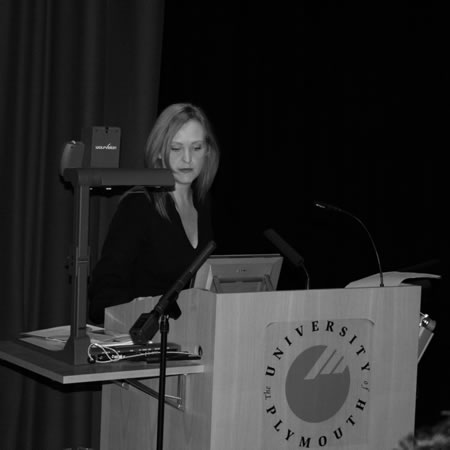
So it’s the day before the first day of the Plymouth e-Learning Conference (PELC10).

I have travelled down the day before, in the main as the conference starts quite early and I want to hear the opening keynote. Tonight I am hoping that there will be a Tweetup, a gathering of PELC10 delegates who are also on Twitter.
There isn’t a huge amount of Fringe activity planned at the conference, which is a pity, but at least the site gives people a chance to chat, share and work out where to eat and stay.
I did enjoy the conference last year, I ran two workshops, one on mobile devices and another on Web 2.0. This year I am chairing a debate on digital natives and taking part in another on emergency planning and use of web tools to support learning.
It’s nice to meet up with people from the region, but it should be noted that this is an international conference with delegates from all over the world.
One of my favourite quotes from Terry Pratchett is that “million-to-one chances happen nine times out of ten”. When something awful happens, or freakish, we hear news reporters say “it was a million-to-one chance that this would happen”.
In February 2009 we had the worst snow for twenty years. Across the UK many schools, colleges and universities closed for a few days as travel made it impossible (and unsafe) for learners to get to their lessons and classes.

As it was the worst snow for twenty years, any idea of planning to use the VLE or similar to support learning from home was thrown out of the window, as it was obvious that such bad snow probably wouldn’t happen again for another twenty years…
Of course less than twelve months later, we had even worse snow. We saw even more closures and for even longer!
What were the chances of that happening?
What are the chances of it happening again?
Probably less than a million-to-one!
Even if it doesn’t snow really badly next year, other things may happen that result in the physical closure of the educational institution. It could be floods, high winds (remember 1987), flu or similar viral infections, transport strikes, fuel crisis, anything…
So how should educational institutions be responding? How should they prepare?
Personally I think that it is not about preparation, but having the staff and learners in the right frame of mind about using online and digital tools before any such million-to-one chance happens.
We are going to discuss these issues and more on day two of the Plymouth e-Learning Conference, April 9th, between 11.15 and 12.45.
Culturally, most institutions do not incorporate online or virtual learning into everyday working cultures, at any level: management, staff or students. Those who do not routinely use digital options can’t see that closing the physical institution need not have a significant impact on the business of the institution, if that business can be carried out at home or online. The issue is not to focus upon contingency planning, but to focus on changing the way people work when there isn’t snow and changing the way people think when there is. Although this debate will centre largely upon Web 2.0 methods, it will take an outcomes-focused approach, rather than a tools focused approach, in line with William Morris’s quote “Have nothing in your house that you do not know to be useful, or believe to be beautiful”. We consider what is necessary, not just in times of crisis, but in implementing everyday e- practice to meet learning and teaching needs.
With a focus upon communities rather than machines, and a recognition that no tool offers “one size fits all”, each panellist will focus upon a specific relationship, specifically ‘Institutional Representation’, ‘Collaboration’ and ‘Teaching Purposes’. What institutional cultural factors will need to be addressed? What do electronic communications approaches offer that previous methods haven’t? What drawbacks are acknowledged in the use of each with regards to the outcomes required? Which tool is most appropriate for the outcome required, and what are its pedagogical purposes?
It also links in nicely with Dave White’s keynote that happens immediately before our panel discussion.
The education sector is constantly chasing the tail of the latest technology. Innovation ‘out there’ on the web generates paranoia that we might be missing the latest opportunity and the suspicion that our students are experts in everything. We create profiles on every new platform just in case they become ‘the next big thing’, collecting solutions-looking-for- problems and losing our focus on what students and staff might actually need.
How can we change the culture of our organisations when we sometimes focus too much on the new tools that appear in our Twitter stream?
Changing the culture is going to take time, having access to the right tools can help, but attitude towards those tools is just as important. Culturally we have some way to go I think before snow or any other “disaster” only closes the physical location and doesn’t close the institution.
Is your institution prepared?
Further reading:
So do you consider the concept of digital natives and digital immigrants relevant to the work that you do?
The 8th and 9th April at the Plymouth e-Learning Conference there will be a (great) debate on digital natives.
This forum will explore methods for categorising learners approach to online platforms and how this can influence edtech/pedagogic strategies. It will focus on Marc Prensky’s famous ‘Digital Native & Digital Immigrants’ trope and the more recent ‘Visitors & Residents’ idea proposed by David White.
Questions the forum will consider:
- Which of these systems is a more effective guide when attempting to provide appropriate technologies in configurations which encourage participation?
- Is it possible to see ‘generational’ or age based trends in approaches to the web or is this an over simplification?
- Does categorising learners along these lines act as a useful guide for edtechs/learning techs or are they just conceptual toys?
The two systems will be promoted by members of the panel after which the discussion will be opened to the audience.
The forum panel will be Tara Alexander (Lecturer, Health and Social Work, University of Plymouth), David White (Manager/Researcher, University of Oxford) and Steve Wheeler (Senior Lecturer in Education and Information Technology, University of Plymouth).
I have the task of chairing this session. There are some great speakers and the topic is controversial, people have many varied views on it. Should be both fun and stimulating.
Common Craft have released another of their excellent videos, this one on Augmented Reality.
This video is an introduction to augmented reality – a new and growing way to use smartphones to learn about the world around you. This video introduces the technology and covers the basic applications. It includes:
- A high level introduction to the big idea
- Using it to find a restaurant
- Using it to compare products, be entertained
- A look at future possibilities of augmented reality
BBC reports that the EU cap for downloading data doesn’t come into effect until the 1st July.
The consumers’ association Which? is warning that people going abroad with smartphones can still face huge bills if they connect to the internet.
By 1 July, new rules will come into force in the European Union which will cap bills for downloading data.
But, until then, people travelling in Europe could face unlimited bills.
So beware the big mobile data bill if you travel to one of the foreign conferences…
Today I posted a couple of videos to the blog to demonstrate how quick and easy it is to use social media tools to create content and how RSS can be used to push that content to other sites, devices and even the VLE.
People have often said to me that they don’t have the time to engage with social media. Personally I think we are at the stage where you can’t afford not to. At the conference I was at today once more people were saying where do you find the time?
As I have said many times on this blog one of the core reasons I engage with social media is that it saves me time.
A recent example was when I was tasked with finding a particular e-safety video. A quick Google search did not turn anything up, so I posted to Twitter and was well pleased with the number and variety of responses I got.
Other examples include, posting photographs to Flickr, this means when someone asks to see photographs of the college or a particular piece of tech, then a quick e-mail and link will often suffice. More importantly as people know about my Flickr account they will go and look there without me even needing to worry about being involved.
The same goes for this blog, a place for me to set out my opinions, views and news. People can see what I am thinking and my recommendations, again without me needing to do too much once I have written the blog entry. Likewise if someone asks me for information, if I already have it on my blog, this can save time. Just a quick note about writing, one of the challenges that many people find is, finding the time to write or what to write about. I have found that it is easier to write lots than it is to write a little. This very blog entry has probably taken about twenty minutes, five minutes on the Tube on my iPhone and another fifteen minutes on the train on my laptop (used Evernote to transfer the text).
Another service I use is Delicious, a service that allows me to bookmark websites, a great way of organising my favourite websites. So if you want to know which websites I am looking at, Delicious allows you to do that.
Social media has the potential to make life easier and better, and like any tool, device or service, excessive use is not what it is about, it is about using the service to make life easier and better.
I do like the Tilt Shift effect.
In the past I have tried to do something similar with pictures of the college and always failing miserably… Now I can fail miserably doing the same thing with video!
One day…
Imagine a new Library of Alexandria. Imagine an archive that contains all the natural and social sciences of the West—our source-critical, referenced, peer-reviewed data—as well as the cultural and literary heritage of the world’s civilizations, and many of the world’s most significant archives and specialist collections. Imagine that this library is electronic and in the public domain: sustainable, stable, linked, and searchable through universal semantic catalogue standards.
Thanks to @ostephens on Twitter who pointed out this thoughtful article from Lisbet Rausing on imagining the future of libraries.
It’s an interesting observation when in the article it says
the question for scholars and gatekeepers is not whether change is coming. It is whether they will be among the change-makers. And if not them, then who?
We know change is coming, we can pretend that we can fight it, but the reality is that we need to be making that change.

USB memory sticks are so yesterday… if you have an internet connection then there are quite a few free services out there that can provide you with free online storage.
One that I have used in the past is eSnips. It gave you 5GB of free storage.
I have more recently been using Microsoft’s Skydrive.
25 GB of free storage on Windows Live With SkyDrive, it’s easy to store and share your files and photos with almost anyone.
Anywhere access: Get to your online files from home, work, or on the road.
Password-protected: Keep your files to yourself, or share them with anyone you want.
Easy to use: Drag files into your online folders, just like on your PC.
Though well integrated into Windows 7, I have been using it with my Mac and iPhone.
Another service recommended by a few people I know is Dropbox.
Dropbox is the easiest way to store, sync, and, share files online. There’s no complicated interface to learn. Dropbox works seamlessly with your operating system and automatically makes sure your files are up-to-date. Available for Windows, Mac, and Linux.
I have also used Apple’s Mobile Me, but that isn’t free!
So what should you do if you don’t have an always on internet connection, you don’t have 3G, you don’t have a smartphone, you don’t have home internet?
Well, there are these USB memory sticks that don’t require internet access and come in a variety of sizes….