
Category Archives: podcasting

It’s not black and white, it’s grey

I recall in a forum once, someone thought we should not allow recorded lectures to be available as podcasts because this would be unfair to deaf students.

So the spoken lecture is fine, but the podcast is not….

Hmmm

I think part of the problem is that people think in black and white terms, either/or and forget that we can have both or grey areas.

I was showing some staff an UMPC once, the Q1 Ultra, which I am thinking of using in our library, and first comment was that the 7″ screen would be too small for some students.

This is a fair comment, but I am not going to replace all the computers in the library with UMPCs, there would still be big computers with big screens for those that wanted them. The UMPCs would be in addition not a replacement. Some users will be fine with the UMPC, others will want what they see as a “normal” computer.
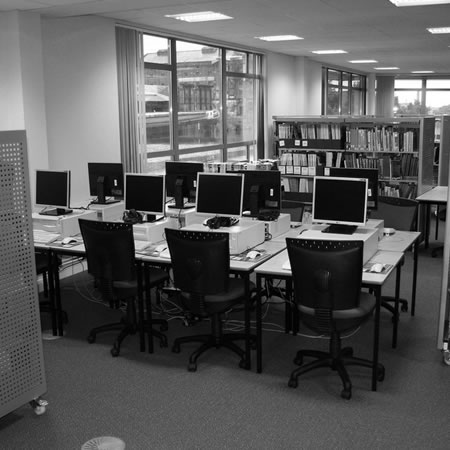
It’s not black and white, it’s grey

I would say it is similar with web services, just because a service is not accessible to everyone, doesn’t mean that it shouldn’t be used, but consideration needs to be given how you would support the users for whom it *may* be inaccessible.

In my lecture/podcast example, I would say that if a signer was provided for the lecture, then a signer could be provided for the podcast.

If “services must be accessible to all or they shouldn’t be deployed” then non-web services should be subject to the same constraints, in which case nothing would happen in an educational institution!

It’s not black and white, it’s grey.

PhotoStory 3 for Windows

At a recent MoLeNET podasting event, my colleague John Whalley spoke about PhotoStory 3 for Windows.

Create slideshows using your digital photos. With a single click, you can touch-up, crop, or rotate pictures. Add stunning special effects, soundtracks, and your own voice narration to your photo stories. Then, personalize them with titles and captions. Small file sizes make it easy to send your photo stories in an e-mail. Watch them on your TV, a computer, or a Windows Mobile–based portable device.

You can download the software from Microsoft (follow the link above).

A quick demo of how it works.

Windows Media Version

iPod Version 

Podcasting Tools and Resources

At a recent HE Academy event I presented at I offered to provide a series of links relating to resources and tools for digital video and podcasting. Here are some podcasting tools and resources.

microphone

Here are my podcasting resources.

Garageband

Apple’s Garageband is part of the iLife suite which comes pre-installed on every Mac. Though initially designed as a music recording (and creation) application, it can also be used to record (and publish) podcasts. Watch a tutorial on creating a podcast, Quicktime required.

With GarageBand, you can create your own virtual on-stage band and play along on your favourite instrument. You can record, edit and mix a song exactly as you want it, in pristine CD quality. It’s the perfect place to get your act together.

Audacity

This open source software which is available for a range of platforms allows you to both and edit audio. Quite a complicated piece of software it certainly is very powerful.

Audacity is a free, easy-to-use audio editor and recorder for Windows, Mac OS X, GNU/Linux, and other operating systems. You can use Audacity to:

  • Record live audio.
  • Convert tapes and records into digital recordings or CDs.
  • Edit Ogg Vorbis, MP3, and WAV sound files.
  • Cut, copy, splice, and mix sounds together.
  • Change the speed or pitch of a recording.
  • And more!

Wire Tap Studio

Recently released this audio application makes it not only much easier to capture and record audio on your Mac, it also makes it much easier to strike that balance between quality and file size when sharing your podcast.

Using WireTap Studio, you can record the discrete audio output of any application, as well as all system audio, or record audio input from any microphone, line-in, or audio input hardware. If you can hear it, WireTap Studio can record it. Once you have recorded your audio, you can easily organize your recordings in the convenient Recording Library, and edit them with WireTap Studio’s integrated lossless audio editor. WireTap Studio also boasts full Audio Unit effects support, for adding professional quality effects to your audio.

One of the key issues when recording podcasts is the microphone. Cheap microphones have not been calibrated (it is the calibrating which costs that is what makes a good microphone expensive), you can get good cheap microphones, but you just have to be lucky!

Photo source