
Skitch – iPad App of the Week

Skitch – iPad App of the Week

This is a regular feature of the blog looking at various Apps available. Some of the apps will be useful for those involved in learning technologies, others will be useful in improving the way in which you work, whilst a few will be just plain fun! Some will be free, others will cost a little and one or two will be what some will think is quite expensive.

This week’s App is Skitch for iPad.

Express yourself with fewer words, emails and meetings…with Skitch for iPad!

Use shapes, arrows, sketches and text annotation to get your point across fast. Mark up photos, screenshots, maps, and webpages then share them with anyone you like.

Free

In my line of work I often have to make screenshots and sometimes annotate them. In the past I would take a screenshot using the built in function in the OS and then paste into Fireworks before using that to add annotations. I would then need to either e-mail the image or upload it somewhere.

For a while I used TinyGrab, mainly as it automatically uploaded the screenshot to the web and copied the resulting URL to the clipboard so it could be pasted into an e-mail or as I was doing more frequently then into Twitter. However TinyGrab wouldn’t let you annotate (so sometimes I would resort back to Fireworks) and then there was the premature launch of TinyGrab 2.0 following the hacking of TinyGrab. It was at this point I decided to look for another app and fell upon Skitch for the Mac. This was (at the time) a paid app, but it worked really well and I still use it on a regular basis.

So when Skitch for iPad was announced I downloaded it for my iPad.

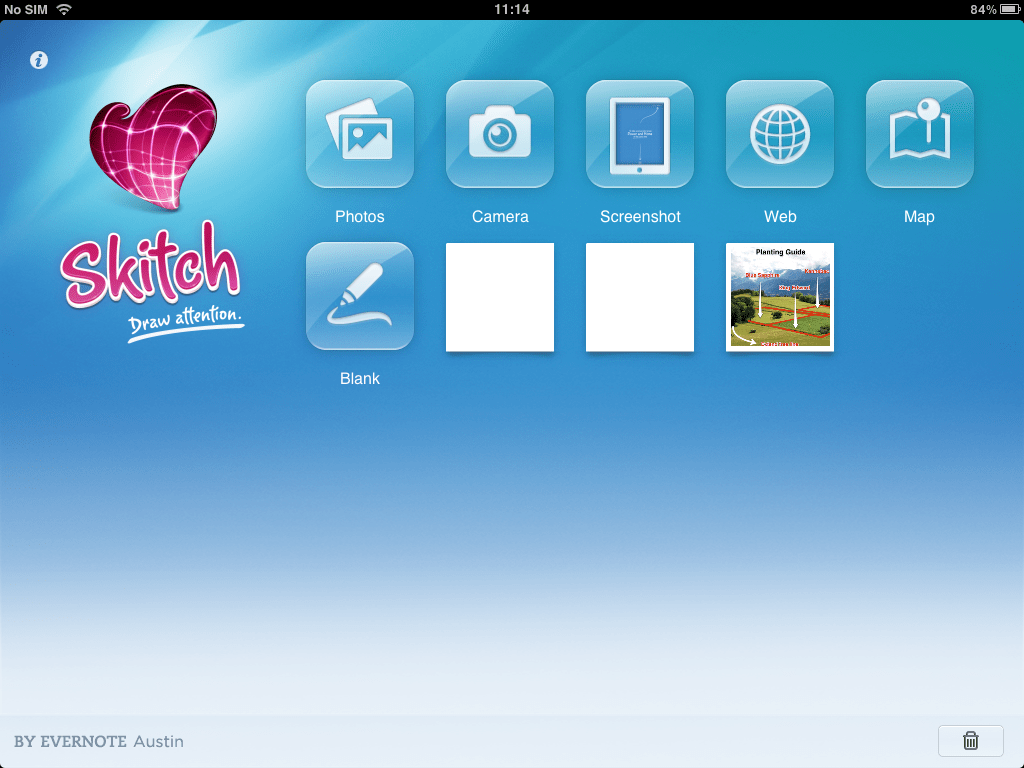
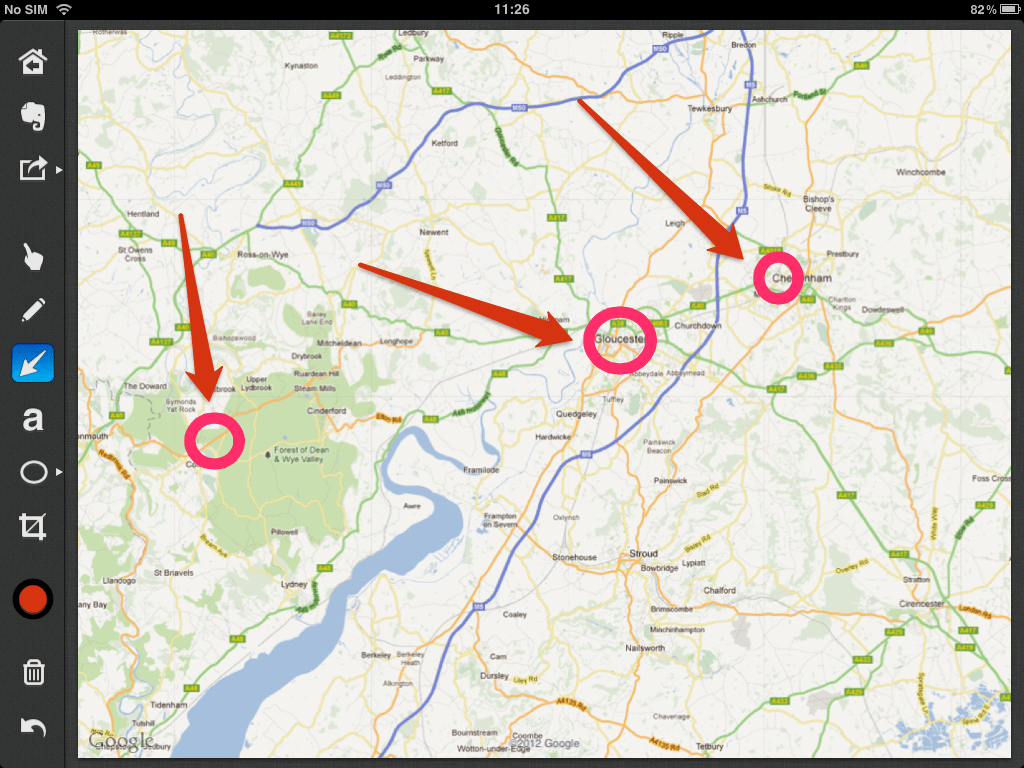
Having started Skitch for iPad, the first thing is to get a screenshot or an image into the app. You can use an image or photo from your photo library, use the camera in the iPad, take a screenshot (using that built in function in iOS to take screenshots). You can use the built-in browser in the app to snap webpages. The app also allows you to browse Google maps and then snap a map before you annotate it.
Finally you can also start with a blank canvas (think whiteboard). The app adds previous snaps to the apps main screen so if you need to go back to a previous working image you can find it pretty easily.

Once you have an image in Skitch you can annotate it to emphasise or add information.
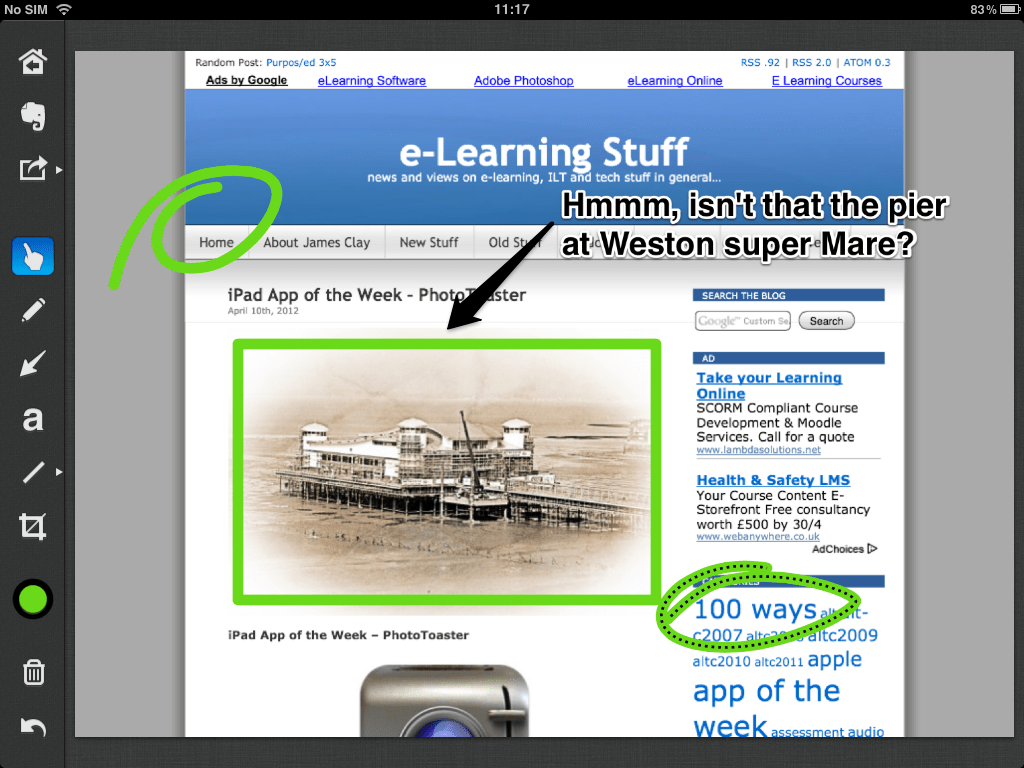
So you can create arrows, shapes and add text. Though there are limitations in the options you have for the different annotations, I can live with that. If I really really really need to do something really really really complex then I won’t be using Skitch. Skitch is for quick screenshots with quick, rough annotations.

You can edit your annotations once places, however editing is quite limited in the same sense of adding them. However you can reposition them, recolour them or remove them!

The sharing options built in are “limited”, you can send to Twitter, e-mail or save to your photo library.

Of course once in your photo library then you can “push” them out to where you need them. Now that Evernote own Skitch you can also send your annotated snaps to Evernote.

For those that want to “show” their snaps, you can use Airplay and an Apple TV connected to a projector or TV. Another option is to use the VGA or HDMI cable.

There are lots of uses for an app such as Skitch.

  • Point out details in a photograph or a screenshot.
  • Show someone how to use a particular app or website.
  • Where to find stuff on a map.

Overall I really like Skitch for the iPad. Though I don’t use it as much as I do the Mac version, it is still a key app for my iPad. If you ever need to annotate screenshots on your iPad then do have a look at Skitch.

Get Skitch for iPad in the iTunes App Store.

e-Learning Stuff Podcast #086: Do you like books, or do you like reading?

#ebooksuwe2012 #366photos

I delivered the keynote at e-Books: Experiences and Future Directions, A Joint Higher Education and NHS Event for Library Staff held at UWE in Bristol.

What are the challenges and issues when it comes to the embedding and use of ebooks in libraries?

With James Clay.

This is the 86th e-Learning Stuff Podcast, Do you like books, or do you like reading?

Download the podcast in mp3 format: Do you like books, or do you like reading?

Subscribe to the podcast in iTunes

The Kindle is not a problem!

This week I attended and presented at UWE’s E-Books: Experiences and Future Directions Conference. It was an interesting conference that had a focus on health and delegates from Universities, Colleges, Hospitals, Aggregators and Publishers attended.

One theme that did come out of the conference was the “Kindle Problem”. The issue stated by both aggregators, publishers and libraries was that users had Kindles, however all eBook platforms and downloadable formats were not compatible with the Kindle and therefore this was a problem “with the Kindle”.

Sorry!

Blaming the user is indicative of an industry that fails to understand its users and is an industry that dictates how users should do things, over trying to meet the needs of the user.

The reason that people see the Kindle is a problem, is that the Kindle has been successful. Consumers have gone out and bought the Kindle and therefore want to use it.

The reason the Kindle has been a success compared to other eBook readers is that Amazon have created a product that basically works.

I have a Kindle and I also use the Kindle App on my iPad. All my purchases are stored in the cloud and I can download my books to  the device of my choosing. I can download it to both iPad and Kindle. Once I have signed into the Kindle app, I don’t need to sign in again.

Now the Kindle isn’t perfect. There are issues with it that annoy my. I don’t like how it doesn’t support ePub, I think it’s PDF support is lacking.

Importantly though I use the Kindle to read books!

I did prior to the Kindle have a Sony e-Reader and though I did use it to read a few classics, the real issue I had was with getting books onto the device, the DRM meant that I had to use a specific computer to download the books onto before transferring them onto the e-Reader. I remember talking to a colleague at work  who had real problems doing that, so in the end didn’t use it, they now have a Kindle and use it all the time!

I find therefore interesting that providers of ebook platforms are very rigid and inflexible and then accuse Amazon of the same thing! I appreciate also that Amazon are in some ways just as inflexible as the aggregators and publishers!

If our users are buying and using the Kindle, then shouldn’t we, if we are offering e-book loans, ensure that whatever service we subscribe to supports or at least works towards supporting, the Kindle?

To ignore the Kindle or to assume that it is a problem is missing the fact that it is well used and liked by the user. To push another device onto the user so you don’t need to change implies you don’t have a user focus. There needs to be a push to Amazon to support an ebook lending model and for aggregators and publishers to change their systems to support the Kindle.

It can happen, but at this stage I can’t see it happening, can you?

I love you, but you’re still boring

I have been thinking for a long time about the Moodle issue that is the “scroll of death”. I wrote my first piece on this after the Ireland and UK Moodlemoot 2012.

Quite a few people have provided me with a variety of solutions that means learners do not have to contend with the “scroll of death”. However what these solutions do not solve, is the fundamental problem, which is…

If you use Moodle “out of the box” and create a course; so you add a link to a page, a link to a file, a link to a forum, a link to a quiz and the odd lable or two, the end result will be the “scroll of death” and a long list of links… rather than an engaging and interactive learning experience. The learners will have a more difficult and challenging experience when using Moodle. As a result you will have disengaged learners and the complaint that Moodle is “boring”.

I also know that some of the training at my college in using Moodle has exacerbated these issues. We show people different features of Moodle and of course they then want to add them to their courses. What we don’t do (very well) is get them to think about the whole of their course and not only about how it looks, but also about how the learner experiences and interacts with the course.

Yes of course you can apply solutions, after the result, however why is it that the “out of the box” vanilla experience isn’t right in the first place?

It would be nice if the initial approach to using Moodle got the user thinking not about adding links, but about whole course design.

The problem with this is that most educators I talk to rarely think about whole course design, and are more concerned about planning what they are going to do tomorrow or next week rather than thinking about the course as a whole.

The more I think about it the more I think that this is the real problem and that Moodle is only a symptom of that issue of the lack of whole course planning by some educators. It’s not as though they don’t plan, I am sure they produce schemes of work and have a fair idea of what they are going to do over the course. However what will be missing will be the detail and the “big picture”.

So the question I am asking now, is Moodle the answer to this problem?

In my last blog posting on this, I wrote:

We might need to take a step back and work out what we actually want Moodle to do and start again.

Could we in fact get Moodle to be part of the solution rather than than the face of the problem?

In a future posting I am going to discuss the issues of Moodle UI and Moodle UX and look at some of the points that came out of this discussion on the Moodle Forums that was point out to me by Stuart Lamour, who you may recall got me thinking about all of this at Moodlemoot in the first place.

What are your thoughts?

PhotoToaster – iPad App of the Week

PhotoToaster – iPad App of the Week

This is a regular feature of the blog looking at various Apps available. Some of the apps will be useful for those involved in learning technologies, others will be useful in improving the way in which you work, whilst a few will be just plain fun! Some will be free, others will cost a little and one or two will be what some will think is quite expensive.

This week’s App is PhotoToaster.

Flexible Interface

PhotoToaster™ combines the ease of use of a ‘pick from a preset’ app with the power and flexibility of full manual adjustment. Three different editing interfaces are available to provide ease of use for the novice and creative accuracy for the discerning professional. Start with the collection of beautiful global presets, move down to the category presets, or dive right in and adjust individual settings. The edits are non-destructive, so you can experiment all you want.

Blazingly Fast Performance

Speed is a major ingredient of the Toaster. You don’t have to let go of a slider and then wait to see the result. The sliders are ‘live’ and the feedback is instant. There’s no waiting with the Toaster.

Non-destructive

Non-destructive photo processing means that order doesn’t matter. If you add a vignette and then adjust crop, the vignette will be reapplied. If you add a border and then do an image adjustment, the adjustment is applied only to the image. This allows for a fun and creative editing experience.

Creative

The adjustments are combined to provide infinite possibilities. Your photo doesn’t have to look like everyone else’s with the Toaster. Even if you start with a preset, you can open the manual settings and adjust the controls until it’s just right for you.

You can email or message the result, post it to Facebook, Flickr, Twitter, Instagram or Tumblr, or save to your photo album.

£1.49

Regular readers of this series will know that I have a particular fondness for image editing apps and do like trying out different photo imaging apps.

PhotoToaster allows you to edit photographs, manipulating the brightness and contrast, add filters (effects), add textures and add borders or vignettes. Continue reading PhotoToaster – iPad App of the Week

I love you, but you’re boring

Probably the session that has made the biggest impact on me here at Moodlemoot 2012 was Stuart Lamour’s presentation from Sussex University on Fine-Tuning the Moodle Experience.

What the presentation was actually about was how awful the user interface and user experience is in a standard Moodle installation.

It made me realise that for too long, Moodle development has had a technical focus and has forgotten how important the user experience is.

Can we really be surprised by this, as over the three days here at Moodlemoot we have heard speaker after speaker, delegate after delegate talk about the “scroll of death” and that teachers and learners call Moodle “boring”.

As most people who use Moodle know, the “scroll of death” is a feature of Moodle that arises when you actually use Moodle for anything more than showing people how to use Moodle. If you create a Moodle course with real students, then it slowly fills up with links and resources to the point where if the learner is to get anywhere on the course they have to scroll, scroll and scroll again. Yes there are “solutions”, use the Book module, pages, collapsable topics for example, however I think these “solutions” miss the point which is the problem is that there is a fundamental design flaw in Moodle in how information is presented to the end user. The reason that learners and staff call Moodle “boring” is partly the look, but again it’s linked to that design flaw, presenting the user with links to content.

The problem with “solutions” and these are well known, is that they don’t really solve the problem. We might need to take a step back and work out what we actually want Moodle to do and start again.

I had hoped that Moodle 2 was going to be a revolution in course delivery, the reality was that from the front end perspective, it was merely an evolution of 1.9. There may have been a revolution in the back end of the system, but from the user perspective there was no real revolution.

Is it time we start thinking, not about Moodle 2.3 or 2.4 but start thinking about what Moodle 3.0 will be like? Do we need to start getting some heavyweight designers and importantly UI and UX experts into redesigning Moodle? What do you think?

It’s conditional…

I am both scared and excited by the new conditional activities in Moodle 2. Though we have upgraded to Moodle 2, we haven’t yet turned on conditional activities. In the main we wanted to ensure the stability of our upgraded system and needed to focus support on those staff having problems with core issues such as file uploading and the very different navigation.

Simply put, conditional activities allow you to “stop” learners doing activity B until they have completed activity A. For example get 80% in a quiz before they get the next assignment. Another example, open the resource before they can do the quiz. It’s a very powerful tool and provides a lot more flexibility to teachers on how learners interact with their Moodle courses.

It is my plan to “turn on” conditional activities at the end of June and follow it up with training in July prior to the start of the new year in September.

At the Ireland and UK Moodlemoot 2012, Becky Barrington from South Devon College gave a presentation on how it all works and how staff at her college are using this function.

Becky presenting #mootieuk12

What was clear from the presentation was that you can’t just go in and “play” with conditional activities, you need to stop and think about it, you need to plan how the whole thing will work.

Becky did recommend that you focus on using conditional activities selectively for activities over using them for a whole course.

My training will now focus very much on planning over the technical aspects of conditional activities. This demonstrates the real value of an event such as Moodlemoot in making you think and changing what you are going to do based on the real experiences of others.

Making the move to Moodle

There are a few presentations here at Moodlemoot about moving to Moodle, either from “nothing” or an alternative VLE. Listening as one does at a conference I was struck by how similar the issues that these institutions and organisations faced. They were also then same issues that other places have had moving to Moodle over the years.

The question I have, is how many did some research and found out what others did, or did they ignore the lessons of the past and rediscovered those issues for themselves. There is some value in that or is there?

Ask yourself, when you moved to Moodle did you ask others how they did it? Ask yourself did you find out the problems faced by others?

If you are in the process of upgrading to Moodle 2 have you done something similar? Do you know about the issues that others have had upgrading to Moodle 2?

If you moved sometime ago, or upgraded recentlyu, have you shared the problems and issues you faced?

If there is a to be a true Moodle community, then we need to share our problems and solutions as well as our successes.

Plugging into Moodle

So where is Moodle going, listening to Martin Dougiamas at the Ireland and UK Moodlemoot, we see how he (and Moodle HQ) want to take Moodle over the next few years.

Virtual Keynote #mootieuk12

Martin was pretty honest about how the use of plugins in Moodle are not as user-friendly or simple as it should be. I have always thought that Moodle needs to come with core modules and blocks as it does now, however administrators have the option to add blocks and modules via a web browser rather than installing files on to the server. If Moodle plugins were more akin to how WordPress (as in WordPress.org not the .com service) it would make it much easier to work with plugins.

On WordPress you search for plugins from a plugins repository, and then install the files. Once installed, you can then “activate” the plugin and it will then work across your WordPress blog. Such plugins allow you to add media players in your blog, make it easier to add third party services into blog entries, also how users can interact with your blog.

I think it would make as huge improvement to how many people view Moodle if the plugin process worked like WordPress. You as an administrator could choose which plugins would work across a whole site, it would make it much easier to add third party services. For example rather than using the Slideshare embed code, think how much easier it would be if all a user needed to do was paste in the Slideshare URL and Moodle took care of embedding the presentation. Moodle 2 does this already with YouTube videos, so it’s not “impossible”.

I also think it would be nice if plugins could be installed, not just globally, but could be installed and then made available to courses on a course by course basis. Add this plugin if you want it, otherwise leave it well alone. Would it be beyond current thinking to allow course creators to install plugins?

At the moment adding plugins to Moodle is not a simple task and can cause issues, especially if an older plugin is installed on a newer Moodle installation (and vice versa). I do hope that one day we can see a simple web based plugin installation with flexible permissions.

Is this possible?

news and views on e-learning, TEL and learning stuff in general…