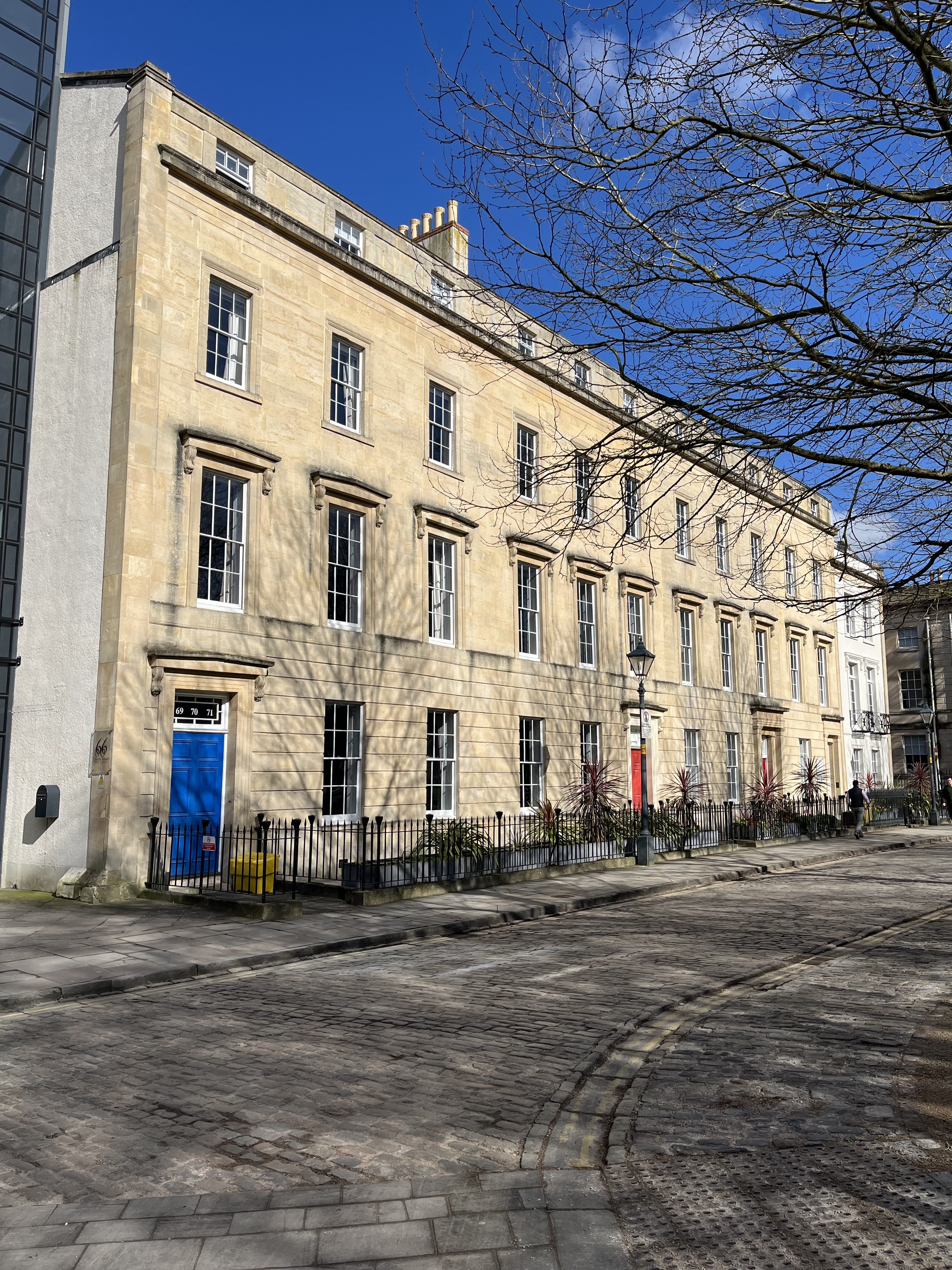
A busy start to the week, I was attending HESCA 24 at the University of Loughborough. HESCA is the Higher Education Smart Card Association, primarily a membership organisation for vendors in the smart card and access card space.
There were some interesting talks and presentations. Some were from universities and others were from vendors. As the presentations were about fifteen minutes long, I didn’t make any sketch notes.
I was talking at the final session of the conference talking about the holistic approach to building a smart campus. Got some nice feedback from the session.
This week we also had our Senior Education and Student Experience Group Meeting. As a well as our usual what’s on your agenda discussion, we also looked at what the big challenge is for higher education and discussed two of the future visions I have been writing. Some interesting thoughts and commentary came out from that.
I had an initial discussion meeting with another university about a possible stakeholder workshop. I was also contacted by a colleague in Jisc about a different university for a conversation, who is also interested in this space. There is a lot of interest and demand in this area from universities across the UK.
I continued my work on optimising operations and data, undertaking further analysis of various reports, articles, and links. I did a similar thing with my work on the intelligent campus.
We had a team meeting, though meeting isn’t really the operative word here, much more a structured conversation and chat.
I was in the office on Friday which was quite busy, for a Friday, usually it is quite quiet.
I attended the Digital Elevation Model review meeting with colleagues from the FE side of Jisc.
I was away for the whole week, travelling to London and Edinburgh. On Monday I headed up to London and went to the Fetter Lane office for some meetings.
Tuesday I was off to WONKHE’s Secret Life of the Student Event. This is the third time I have attended the event. This is very much an event, more so a conference, and WONKHE certainly know how to create an engaging show. There was lots of interesting presentations, one feature of the event I liked was how they added a student voice for five minutes in between sessions.
This isn’t the most interactive conference I’ve attended, no workshop sessions, and usually very limited time for questions. However, I still thought it was an excellent conference. Others do as well, as even by the final session, most people are still there. It’s very popular as well, as they were packed out.
After the end of this conference, it was a walk over to Kings Cross (walking next to St Pancras) for a train to Edinburgh. I was quite impressed with the speed of the train, taking just four hours and twenty minutes from platform to platform.
I was up in Edinburgh for the UCISA Leadership Conference. Like the Secret Life this is my third time I have attended. The first conference was in Manchester. I said back then.
I wasn’t sure what to expect, but I kind of expected that this would be a highly technical conference, about how technology can deliver transformation and I can say that what I experienced was not what I was expecting.
Last year in Liverpool, I thought it was a good conference, I wrote back then.
I did enjoy the conference, not sure if I enjoyed it as much as the previous year, but it was still an excellent conference.
This year, I did enjoy the conference, however I didn’t feel it was as good and as useful as the conferences in Manchester and Liverpool. At the previous conferences I felt there was a good focus on leadership and strategy. This year in Edinburgh, I felt the focus had moved to the technology, notably AI.
Now I realise that I am not the target market for this conference, and they may have been responding to feedback from their core market. I may attend next year, but then again, I might not.
I flew home from Edinburgh.
This week I also had a preliminary planning meeting for Smart Campus workshop I am running in the next month or so.
I was working in the Bristol office for a few days this week and a couple of days working from home.
Spent some time preparing for next week, when I will be in London, Edinburgh and then early the following week I will be in Loughborough. Will be spending a fair amount of time travelling and staying in hotels as a result.
I wrote a blog post about transformation following attending the UUK event the week before. In Transformation and all that I look at transformation and how digital and technology can now enable that transformation.
As we discuss and talk about digital transformation, it becomes apparent very quickly that digital transformation is not about digital causing transformation. It’s not as though if you invest in digital and online technologies that therefore you will be (magically) transformed.
It was very much a reflection on a post I had written two years ago.
Here we are two years later and re-reading the blog post, much of what I wrote still stands up. In some cases the technology has moved forward already.
I developed and imagined another vision for my work on optimising operations and data. This vision was on secession, a vision in which departments secede from the university hierarchy and form their own institution.
University departments already had some element of autonomy, so it wasn’t too long before some departments decided to secede from the university and form their own “university” to take back control. These departments wanted to have more power over the recruitment of students and staff. They were able to outsource administrative and professional services to subsidiary service companies that delivered services to a large number of these autonomous departments. With the wealth of empty office space across major cities, it was relatively easy to procure space, combined with online provision, and hybrid home working, the costs of running a department of a university, divorced from the university itself, could be minimised. The use of shared services across these small independent universities enabled them to focus on research, learning and teaching.
I also developed one on the outsourced university.
It was seen as easy to outsource much of the domestic functions of the university, but it became apparent to many senior managers that they could outsource much of their professional services as well. It wasn’t too long before some enterprising universities realised that they could outsource their teaching as well. This would enable them to bring in dedicated subject experts for teaching on undergraduate programmes as and when needed.
I’ve enjoyed writing these and will be interesting to see what happens when I share them with some senior colleagues in a few weeks.
I saw that UPP Foundation launched Student Futures II, New threats to student futures. In 2021, with the world still in the grip of the Covid-19 pandemic, the UPP Foundation convened the Student Futures Commission to understand how the pandemic was affecting students and what universities could do to help them get back on track. Two years on, the UPP Foundation launched Student Futures II, with new research from Cibyl and Public First assessing the sector’s progress.
The cost of learning crisis is creating new threats to students’ futures
Worryingly, students who took part in focus groups for the Commission report a further gap between what they imagined university would be like and what they have actually experienced, with international students in particular feeling short-changed. There is a general sense of apathy, a loss of agency, and high levels of reported loneliness – and with many universities at or close to the end of their financial tether, the solution of delivering “more support for students” is well past being reasonable or sustainable.
Not long ago I received an email from a colleague who keeps watch on business intelligence vendors and rates their products. She was puzzled that a particular product that I happen to like did not support pie charts, a feature that she assumed was basic and indispensable. Be- cause of previous discussions between us, when I pointed out ineffective graphing practices that are popular in many BI products, she wondered if there might also be a problem with pie charts. Could this vendor’s omission of pie charts be intentional and justified? I explained that this was indeed the case, and praised the vendor’s design team for their good sense.
I was supporting a colleague on the management of our Dovetail licences. We use Dovetail to analyse data. I used it myself this week to analyse the UK Higher Education Financial Sustainability Report in relation to the project I am working on in optimising data and operations. I also used Dovetail to review some of the data and insights we have on the intelligent campus.
I gave a briefing (with a PowerPoint) about my work on optimising operations and data.
Updated our CRM with conversations I had last week.
As we discuss and talk about digital transformation, it becomes apparent very quickly that digital transformation is not about digital causing transformation. It’s not as though if you invest in digital and online technologies that therefore you will be (magically) transformed.
When discussed digital transformation, it is probably best explored as transformation which is enabled by digital technologies.
I have written before about this, two years ago I published a blog post, called Thinking about digital transformation which I used to discuss and reflect on my then thinking about digital transformation.
Well, I have been thinking about what we understand mean by digital transformation and in some discussions, I have been using different kinds of explanations to explore what I see and understand digital transformation is.
In the post I draw out that merely making something digital, doesn’t mean you have transformation. The example I used was about the authorisation of leave.
When you start to think about this digitalised process, using a bespoke system, over spreadsheets or pieces of paper, you may think of this as transformative. However, when you did deeper, there is still that same old authorisation process there.
I concluded…
The digitalisation of the HR system only becomes transformative when you actually look at and transform the processes and the thinking behind those processes. You need to transform the process; the digital HR system enables that transformation. Simply digitalising your HR system results in less benefits than if you transform the organisation and use digital technologies to support that process of transformation.
Here we are two years later and re-reading the blog post, much of what I wrote still stands up. In some cases the technology has moved forward already.
I wrote…
Now looking further forward, could you use artificial intelligence (AI) to learn from leave request, rejections and authorisations to have a better idea of when there are potential pinch points…
There was this Gartner article on AI in HR which was published last year.
AI will have an effect on the work conducted by the HR function, across the employee life cycle. This impact includes HR operations and service delivery, recruiting, learning and development, and talent management. In a first step, AI will lead to new sets of employee expectations about how employees interact with HR and HR technologies. Over time, this shift will lead to rethinking the purpose and structure of individual HR roles and teams.
I also mentioned the cultural challenges that existed.
When I first started asking this question a few years back, I was quite surprised by the resistance to the idea of a system or an individual self-authorising leave, and it got to the point where often the discussion would just fall down. Culturally people (okay managers) were struggling with the concept that they no longer had the power to authorise leave or not.
We need to apply all the innovation, creativity and business acumen across the sector and beyond and grasp the nettle to find solutions to the big questions.
In one session it was clear that the technological or digital solutions were there already, what was holding back the transformation was the cultural and people issues.
In the past we may have wanted to transform, but we didn’t have the necessary tools to make that happen. Today we have the tools, the question is, do we have the will?
I was in London towards the end of the week. I was attending UUK’s Survive or thrive? Grasping the financial sustainability challenge event.
Universities are critical to society – whether that’s developing the skills our economy needs, boosting regions, driving social mobility or discovering the next scientific or innovation breakthrough. We are at a critical turning point, however. In 2021-22, one in four UK universities reported an operating deficit. UUK’s policy and advocacy work is focussed on securing more sustainable funding for higher education across the UK but we also need to act for ourselves. We need to apply all the innovation, creativity and business acumen across the sector and beyond and grasp the nettle to find solutions to the big questions.
This conference will cover urgent topics such as:
How can we innovate and find new ways of operating – through different organisational models, creative use of digital, online and AI tools? What might hold us back?
Should we challenge the status quo and how? High quality, high touch, high-cost teaching to student ratio? The overall student offering? Geographic footprints in the UK and beyond?
When you need to transform a university, what are your options and how do you do it?
How do policy and regulation inhibit innovation and what can we do about it?
This was probably one of the best events I have attended in recent months, though, I think the main reason for that was how much of it was aligned to the work I am currently doing at Jisc.
The programme was excellent, with both keynotes, panel sessions and effective workshops. I also had a fair few ad hoc informal discussions with colleagues. There was a large number of senior managers, including vice-chancellors at the event.
Attended Jisc’s Evidence and Research Advisory Group. I actually attended this meeting whilst going for a walk. It was quite late in the day, so though I was working from home, the house by that time was quite busy. I knew I had minimal input to contribute, so rather than annoy the house, I went for a walk, which was quieter than the house, well the road I walked along was quite noisy.
Had my regular one to one.
As well as writing various visions for my work on optimising operations and data, I am also looking for exemplars of current practice. As with a lot of my work, I planned out the structure and content of the exemplars, as well as identifying possible case studies for the exemplars.
As part of Learning & Teaching Reimagined, we constructed some simple scenarios, across the spectrum of digitally enhanced teaching and learning. I want to do something similar with optimising operations and data. These would show the impact on students, academic staff, and professional services as you travel down a road of optimising operations and data.
I have been working on a series of visions about how universities could be working differently in the future. The aim of the visions is not to predict a future, but to provide an insight into a possible view of what that future could look like and think about how these impact on your current position and thinking. We did something similar for Learning and Teaching Reimagined, and though I wasn’t personally credited with the authorship of some of the visions, I did create and write the visions. I tested them out with a few people and got the reaction I wanted as well as stimulating an interesting discussion.
One of those visions was about organisations merging. Coincidently in the news this week was the news that City, University of London and St George’s, University of London have agreed a merger – the new institution will be called City St George’s, University of London and commence operations from 1 August, “though full integration will take longer.” Current City president Anthony Finkelstein will lead the combined institution.
There has been much talk about the four day week, in the Guardian this week was an article on how some firms have made their four day week trials permanent.
Most of the UK companies that took part in the world’s biggest ever four-day working week trial have made the policy permanent, research shows.
Reports from more than half the pilot organisations said that the trial, in which staff worked 100% of their output in 80% of their time, had a positive impact.
For 82% this included positive effects on staff wellbeing, 50% found it reduced staff turnover, while 32% said it improved job recruitment. Nearly half (46%) said working and productivity improved.
How can learning analytics – data systems that help understand student engagement and learning – be used to identify students who may be at risk of withdrawing from their studies, or failing their courses, and what interventions work to re-engage students in their studies?
The key findings from the report were:
Neither HEP found a measurable difference in post-intervention engagement rating between at-risk students who received an email followed by a support phone call and at-risk students who received only the email.
Neither HEP found any significant impact of the additional support call on the likelihood of a student generating additional at-risk alerts.
Qualitative feedback indicated that students welcomed the intervention. For some, the phone call was appreciated as a means of breaking down barriers between themselves and the institution and stimulating their re-engagement with learning. For others, the email alone was cited as a sufficient motivator to re-engage with learning.
A new study from TASO seeks to judge “what works” in the use of learning analytics for student support, exploring whether students identified by engagement data as being “at risk” were better supported by email and phone contact or email alone. Large cohorts of students at two providers, Sheffield Hallam University and Nottingham Trent University, were divided into two random groups. In both cases, it was found that an additional support call created no measurable difference in at-risk students’ subsequent engagement and no appreciable change in the likelihood of the student generating subsequent alerts.
It will be crucial to robustly test the impact of any wellbeing interventions that analytics systems may trigger.
As many people already well known, the environmental costs of generative AI is soaring, and that also being kept mostly secret. In Nature is an article about the impact AI will have on energy systems.
Last month, OpenAI chief executive Sam Altman finally admitted what researchers have been saying for years — that the artificial intelligence (AI) industry is heading for an energy crisis. It’s an unusual admission. At the World Economic Forum’s annual meeting in Davos, Switzerland, Altman warned that the next wave of generative AI systems will consume vastly more power than expected, and that energy systems will struggle to cope.
Spent some time planning out Senior Education and Student Experience Group meeting for March.
Wrote a briefing update on the work I have been doing on the optimisation of operations and data work.
Had an interesting and informative conversation with a college about their smart campus aspirations.
Spent time planning next steps of my Intelligent Campus work.
Planning a meeting with an university for a follow up workshop on their smart campus planning, after successful workshop in January and their request for a 1-2 day cross university workshop.
Worked on creating and planning blog ideas in the personalisation space. Also worked on creating and planning senior management primer ideas in the personalisation space, and some use case ideas.
Spent time planning out ideas for Spaces events over the next 12 months.
Noted that this worknote represents five years of undertaking worknotes for the blog.
It was half term week in North Somerset, so I was off to the office for most of the week.
I posted a blog post What makes an intelligent campus? which was about the differences between a smart campus and a campus which is intelligent.
A dumb campus is merely a series of spaces and buildings. For example the heating comes on at 8am, off at 5pm, and is only switched on between November and March, regardless of the external temperature.
A smart campus uses data from the spaces and buildings to make decisions. For example, a thermostat controls the heating, as the room warms up, the heating turns off.
An intelligent campus uses data from across the organisation to make decisions and make predictions. For example, a team is out on an away day, so the intelligent campus, switches off the heating and lighting on that floor for that day.
I also updated a blog post I had written about the links between the university smart campus and the smart city (or smart community).
So how does the intelligent campus slot into the smart city? The reality is in many cities the campus and the city are not distinct spaces, and for many people they will move between city and campus across the day. If a university with an intelligent campus does not integrate or work with the smart city, then they won’t have the full picture and in some cases could be at odds with each other. Bringing in the full picture, all the data, a better understanding can be drawn from the experiences of the students and the city population at large.
Following on from the Intelligent Campus workshop I ran in January, the university has been back in touch to discuss planning a two day workshop with a wider range of stakeholders.
I had my Q2 review. As always, these notes come in useful for writing up that review.
I spent time reviewing the personalisation space I have on Dovetail and identifying gaps and further research required. The plan here is not to create the definitive guide to personalisation in higher education, but reflect on a shared understanding, the needs of the sector in this landscape, and where and how Jisc can help and support universities in moving to a more personalised student experience. I worked through a potential workplan and what the next steps are.
I have spent time working on learning spaces, and I undertook a second analysis of learning spaces scoping study we did last year, adding tags and insights to Dovetail space I have on learning spaces.
The smart campus is already here. Universities across the UK are already using technology, sensors and data analysis capability to prompt simple, automated actions such as adjusting heating, for example. The smart campus goes further than such simple actions and allows us to gather data about the spaces and, importantly, act on that data. We can turn down heating in rooms which aren’t being used, and the system will take into account the actual external temperature and not just the time of year. We can use electronic entry systems, such as swipe cards, to ensure the security of the rooms, but also to measure room occupancy. Similar occupancy data can be gleaned from campus wide wireless neteworks. We can also ensure that the lighting, heating and CO2 levels are within defined parameters. We often have insights into specific aspects of the smart campus, environmental conditions or room utilisation but these insights can be limited in what they can tell us. Most of the time, it isn’t all joined up and so has limited scope in terms of what we can learn and how we can use the knowledge to enhance and improve the student experience.
It’s a similar story with the smart city. Cities across the world are looking at how they can use technology to make transport and transit systems work for the people in that city. The Wikipedia definition of a smart city is “an urban development vision to integrate information and communication technology (ICT) and internet of things (IoT) technology in a secure fashion to manage a city’s assets”. Data from systems and sensors across a city can tell us some stories, about the use of transport, congestion, parking, pollution, health care, crime and a range of other functions and aspects of the modern city. Like the smart campus these insights and stories can be limited in scope, and often only give us part of the story.
Newcastle University worked with its local authority to develop a Cooperative Intelligent Transport System (CITS) leading to a “smart corridor”. This will mean that buses will be controlled by digital technology. This will allow buses to “talk to” traffic lights, maybe holding green lights for a short time or redirect drivers past congestion, improving journeys and reducing delays. Many of these smart city initiatives work in isolation, where real benefit comes is when the data from these systems is integrated and new possibilities emerge. It’s not always about systems talking to each other – if a system can utilise the data from another then maybe better informed decisions can be made.
There is a vision of universities moving from a smart campus, to a smarter campus, to the intelligent campus. An intelligent campus will take data from a range of sources, not just the physical aspects of the campus and how it is being used, but also the data from digital systems such as cohort information, attendance records, the virtual learning environment, the library, student records, even Electronic Point of Sales and online services. This joined up approach can provide insights into the student experience that we would otherwise miss. These insights can inform and support decision-making by individuals across the campus, including students, academic and professional service staff.
An intelligent campus using predictive analytics means that rather than responding to problems, universities and colleges are proactive and make appropriate interventions earlier to avoid those problems happening in the first place, based on a range of live data sources. It’s a similar story within the smart city, where using a range of data sources and analytics could enable informed decision making removing the need to react to problems by ensuring they don’t happen or are mitigated as much as possible.
So how does the intelligent campus slot into the smart city? The reality is in many cities the campus and the city are not distinct spaces, and for many people they will move between city and campus across the day. If a university with an intelligent campus does not integrate or work with the smart city then they won’t have the full picture and in some cases could be at odds with each other. Bringing in the full picture, all the data, a better understanding can be drawn from the experiences of the students and the city population at large.
The collection and interpretation of data from a wide variety of sources understandably raises some concerns about the appropriateness of data collection and usage. One of the challenges that does need to be seriously considered are the ethical issues of using a range of sensors, tracking technologies, even CCTV that could be used to track not just people’s movements, but could actually be linked to individuals.
Some of the examples of data used in intelligent campus or smart city activities might not be thought of as personal. However, with the combination of different types of data from different sources, it becomes potentially easier to identify individuals, for example precise location and user behaviour. Anonymised data once aggregated can lead to better understanding of user behaviour and the management of facilities, but also potentially reduce privacy.
Even in an age where sharing of data on an app is commonplace, and sometimes scant attention is paid by users to the extent of this sharing, the fears and concerns of individuals should not be underestimated nor dismissed. This is something that we at Jisc have had to grapple with when developing our Learning Analytics service, which we recently launched, along with a code of practice to address ethical questions.
Could this become a reality? Learning analytics services rely on a hub where academic and engagement data is collected, stored and processed. What if we, as a sector, could extend the learning data hub to enable data to be gathered in from physical places? Could we also bring in data from public systems, such as transit information, traffic, pollution levels, health care, entertainment information and provide a full enhanced student experience? Well that’s a dream that may well be possible in the near future.
References
Clay, J. (2018). Guide to the intelligent campus. 1st ed. [ebook] Bristol: Jisc. Available at: http://repository.jisc.ac.uk/6882/ [Accessed 13 Feb 2024].
Education Technology. (2018). What makes an intelligent campus?. [offline] Available at: https://edtechnology.co.uk/Article/what-makes-an-intelligent-campus [Accessed 10 Sep. 2018].
I often, well sometimes, I got asked what is the difference between a smart campus, and an intelligent campus.
A dumb campus is merely a series of spaces and buildings. For example the heating comes on at 8am, off at 5pm, and is only switched on between November and March, regardless of the external temperature.
A smart campus, uses data from the spaces and buildings to make decisions. For example, a thermostat controls the heating, as the room warms up, the heating turns off.
An intelligent campus, uses data from across the organisation to make decisions and make predictions. For example, a team is out on an away day, so the intelligent campus, switches off the heating and lighting on that floor for that day.
Now onto the detail…
The smart campus is already here; the technology, sensors and data analysis capability are all available, but it isn’t all joined up and so has limited scope in terms of what we can learn and how we can use the knowledge.
What we need now is the intelligent campus, where data from the physical, digital, and online environments can be combined and analysed, opening up vast possibilities for more effective use of learning and non-learning spaces.
But before we head down that road, it is useful to reflect on what we mean by a campus.
Universities across the UK are a diverse mix of traditional campus-based institutions, city-based universities where the estate is mixed in between retail, office and housing, and multi-site universities, with geographically spread campuses.
But they all have many features in common. There are formal teaching spaces, including classrooms, lecture theatres and labs. There are informal learning spaces, where learners can learn when they want to, including computer labs and the library.
There are also a whole host of social spaces such as cafeterias and dining halls, sports facilities, concert halls, common rooms, and student accommodation. Then there is the work space you need to run the institution, from the finance office to the server rooms, and there may also be green spaces, parking areas and business parks.
The non-smart or “dumb” campus is one where information on how physical infrastructure and space is being used, and what it is being used for, is rarely noted, and even more rarely acted upon. Any room utilisation surveys will be carried out by people with clipboards noting the number of people in each room, but probably not considering their activities. It would be really hard to work out how many people were in the building, even more challenging when there are multiple entrances and exits. In the non-smart campus heating comes on at 8am, and is only on between November and March, regardless of the external temperature. There are physical switches for the lighting system. Timetabling will dictate which cohort has to be where and when, and what subject they are doing. But often that is planned a year ahead and won’t take account of the kinds of teaching and learning that may be undertaken in any given slot, or whether the cohort changes size.
The non-smart campus can be inefficient, costly, and impact negatively on the student experience.
In many ways the smart campus is already here. Most new buildings built on the university campus will have an element of smartness about them.
There is some technology already in place which can start us on the road to making better-informed decisions about how best to use space, sensors, for example. We all know when lighting is linked to a movement sensor because everything goes dark when we sit still for too long, promoting much frantic arm-waving to turn the lights back on. The data from these sensors can tell us a lot about occupancy, as well as saving electricity costs.
But the smart campus goes further than such simple actions and allows us to gather data about the spaces and, importantly, act on that data. We can turn down heating in rooms which aren’t being used, and the system will take into account the actual external temperature and not just the time of year. We can use electronic entry systems, such as swipe cards, to ensure the security of the rooms, but also to measure room occupancy. We can also ensure that the lighting, heating and CO2 levels are within defined parameters.
Timetabling and curriculum planning, gives us an insight into when students could be on campus (not saying they will miss lectures, but you and I know this happens), adding in attendance data (if used) can enhance that picture. Bring in retail date from the coffee places and the shops. Data on bus tickets and car parking will also be an useful indicator of visitors to the campus.
Throw in library data, PC bookings and book issues.
Then there is network data, how busy is the network, how many devices are connected. Top end wireless networks can also help with occupancy based on connections to different wireless endpoints.
Even energy costs will add some useful insights into the use of the campus.
So what is the difference between a smart campus and an intelligent campus?
There are some key considerations when we come to looking at what makes an intelligent campus – the first is the aggregation and analysis of different kinds of data.
One of the noticeable attributes of a smart campus is that data is often siloed and isolated, and analysis and decision-making is based on a single data set.
An intelligent campus will take data from a range of sources, not just the physical aspects of the campus and how they are being used, but also the data from digital systems such as attendance records, the virtual learning environment, the library, student records, electronic point-of-sale and online services.
This joined-up approach can provide insights into the student experience that we would otherwise miss. These insights can inform and support decision-making by individuals across the campus, including students, academic and professional service staff. By using live and dynamic data, decisions can be made that are based on the current state of the campus. Here are some examples:
A student using an app on their smartphone can decide very quickly if they should visit the library that day as the app is indicating that the library is very busy, but it also informs the student that the noise levels in the coffee shop on the other side of campus are low, making it a possible option for study.
A lecturer decides on various group activities in a classroom, the room system having checked the module information and activity parameters, and set the heating and lighting to the optimal level for the activity, while also considering the preferences of the particular cohort of students.
A member of the finance team finds out from an app on their computer, based on data from previous visits, that the cafeteria is running low on the vegetarian special that day, so they can decide to leave now for lunch, so as not to miss their favourite meal.
The next level of the intelligent campus is to move beyond using this live data to add a machine learning or artificial intelligence element to the analysis, providing further insights. Bringing in historical data, feedback, and evaluative data, we can start to add a level of predictive analytics that will allow students and staff to make informed decisions on what is likely to happen.
Predicting when the library will be most busy and noisy, for example, will allow students to choose whether to come to campus before or after peak times, and will reduce the probability that the library will be too full for comfort at any one time.
An intelligent timetabling system could start to reflect on the sort of activity likely during a particular study module, not just on the number of students taking part, so the group activity could be shifted to an optimal room, rather than sticking rigidly to the same space.
By analysing when and how rooms are used, organisations will be able to make smarter, more effective use of learning spaces and other facilities across campus and to improve curriculum design and delivery.
But could this dream become a reality? Learning analytics services rely on a hub where academic and engagement data is collected, stored and processed. What if we, as a sector, could extend the learning data hub to enable data to be gathered in from physical places? How would we collect that data and what smart campus technologies would we need to have?
Making timely interventions to ensure that the best available spaces are being used for each session will enable students to learn more effectively and ensure that the organisation is running efficiently. Insights into utilisation of space, services, and resources, will enable universities to enhance the student experience.
Though much is being done in this space, the work has been focused on the relationship between the physical estate and the IT infrastructure coming together. The reality is that a university campus is awash with data from many different systems. A truly smart campus needs to bring that altogether, and an intelligent campus will enable deeper and more useful insights. Longer-term the possibilities for the intelligent campus are practically limitless.
After a week in the Bristol office, this week I was only there on Friday. Monday I was working from home, the train strikes disrupting rail travel for my Bristol commute. I spent a couple of days in Birmingham as well. I was off to Birmingham for a Smart Campus Roundtable being facilitated by PTS, an external consultancy company. I had attended a similar eventin London in June.
The focus of the event was about progress universities were making in the smart campus landscape, with presentations from Birmingham and Bristol. We had various discussions about university aspirations, challenges, business cases, cross-institutional teams. There was very little discussion on the actual smart campus technologies that are available. As was recognised across the room, the real challenges are vision, strategy, planning, policy, process, and culture.
I also found about the Smart Building Overlay to the RIBA (Royal Institute of British Architects) Plan of Work.
RIBA have developed a Smart Building Overlay to provide guidance on smart building technology through each RIBA Plan of Work stage; aligning decision-making with project outcomes and helping designers integrate the technology to support them.
This is an interesting document but does remind you of how much work has been done in this space by those involved in the architectural and construction industries, not just in education, but across all other sectors as well. Are educational spaces that different, something to think about.
Though much is being done in this space, the work has been focused on the relationship between the physical estate and the IT infrastructure coming together. The reality is that a university campus is awash with data from many different systems. A truly smart campus needs to bring that altogether, and an intelligent campus will enable deeper and more useful insights.
In a couple of weeks I have my Q2 review. As always, these notes come in useful for writing up that review. I also write my review in a Word document before then pasting into the HR system. I am glad that I did as I found out on Monday that there had been a glitch in the HR system which meant all my input was missing. Of course I could replace the text in my form from the Word document.
This was a habit I got into many years ago, as too often when writing into a web form, there would be a connectivity issue, or a glitch and I would lose everything I had written. So I now write in a word processor and then copy and paste. I do that for all my blog posts as well. So I am writing this blog post in Word, and then I will copy and paste into my WordPress instance later.
There is another advantage with using a word processor, is that I can write some of the blog post one day and finish it off another day. Using it for week notes means I can write up each day individually if I need to.
Saw an online presentation from David Kellerman on the digital transformation in his work at UNSW in Australia. He was an enthusiastic presenter and very passionate about his work.
I have been invited to speak at Higher Education Smart Campus Association (HESCA) event Smart Technology for a Smarter Campus’.
HESCA’s aim is to provide Higher Education establishments with a platform for debate on smart card technology issues relevant to their business objectives.
As you might imagine, the focus is very much on smart card technology, but though smart cards can provide lots of data, they can also be used to enhance the student experience in a lot of areas, if other sources of data are joined up. Very much an aspect of the intelligent campus.
I spent time researching, planning, and writing my presentation for HESCA 24 How smart technology is vital for tomorrow’s campus.
Reviewing and analysing my learning spaces space on Dovetail, looking at what I have done, what I could do, and what I need to do.
Spent time doing the purchase orders, booking, and logistics for various conferences. I am planning to attend UUK’s Survive or thrive? Grasping the financial sustainability challenge Conference. Also WonkHE’s Secret Life of Students, and the UCISA Leadership Conference in Edinburgh.
After some setbacks I did the recording and editing for my Leadership Masterclass – Operationalising your Strategic Vision video.
news and views on e-learning, TEL and learning stuff in general…